2024.x Maxon Cinema 4D – Subscription
EDIT in Admin Edit in WP
Downloads
Download demos and trial versions, product documentation, free presets and more.
You may download a free Demo after logging in.





3D computer animation, modeling, simulation, and rendering software
Cinema 4D is the professional’s choice for 3D modeling software. With its intuitive, fast, powerful, and stable toolset, Cinema 4D makes 3D modeling and design simpler and more efficient than ever— perfect for unleashing the creative potential of professionals in design, motion graphics, VFX, AR/MR/VR, game development, and more. Any creator will appreciate the stunning results while they work independently or with a team.
Maxon’s Cinema 4D allows users to animate, simulate, and easily render their designs. Working with the software feels like an adventure as it’s both flexible and robust; integrating high-end features all in one package. Creating extraordinary projects has never been simpler or faster — you can quickly bring any idea to life, thanks to Cinema 4D’s cutting-edge capabilities!
No matter your experience level or skill set, Cinema 4D supports your creativity every step of the way! Its vast library of built-in tools lets users customize a workflow that fits their needs. With such a wide range of versatile features at their disposal and ready-to-use models available for immediate utilization in projects to create objects from architectural plans to costume props – filmmakers, video editors and animators alike can tap into its capabilities to bring their stories vividly alive!
Cinema 4D brings sleek professional-quality film visuals right at your fingertips with refined physics simulations and animations, guaranteed to captivate viewers and audiences! Get ready to take your creations to amazing heights of visual artistry with Maxon’s Cinema 4D.
Award-Winning Mograph
MoGraph is a procedural modeling and animation toolset that gives motion designers the ability to quickly and easily create complex and abstract animations. At the heart of MoGraph is the Cloner object which allows you to duplicate objects in a variety of ways. Add MoGraph’s powerful collection of Effectors to the mix and you can put everything in limitless motion using sound, fracturing, fields, and so much more – often without creating a single keyframe! MoGraph is the go-to system for professional broadcast graphics designers and was recognized by the Academy of Motion Picture Arts and Sciences with a Technical Achievement Award in 2019.

Easy To Learn – Easy To Use
Cinema 4D is widely recognized as one of the easiest and most accessible 3D packages to learn and use. To soften that learning curve Maxon offers thousands of tutorials on Cineversity and hundreds of Quick Tips. Maxon’s Training team also hosts weekly and monthly live webinars to help new and existing users succeed. Check out Maxon’s archives and events schedule for more information.
What’s New In Maxon Cinema 4D 2024
Cinema 4D 2024 provides unmatched speed and performance for the most sophisticated creative scenes. Rigid Body Simulations can now interact with all existing forces, pyro, cloth, and soft bodies. Pyro shines with a hot new feature that allows fire to be emitted from particles and matrices. And the new Vertex Normal tools offer artists unparalleled precision to perfect surfaces.
- Cinema 4D 2024 is more than twice as fast as previous versions – through the power of Maxon’s brand-new core that optimizes speed and performance.
- Thanks to the addition of Rigid Body Simulations to Cinema 4D’s Unified Simulation System, solid objects can now interact with all simulation types in the scene – be it soft bodies, cloth, ropes, or Pyro.
- Pyro now offers more precise controls for artists to art direct their simulation and ensure it matches their vision. By adding the Pyro tag to standard particle emitters, thinking particle geometries and matrix cloners, they can now emit Pyro. This enables artists to create filmic scenes with fire, smoke trails, and explosions or visualize beautiful fireworks in the night sky. With the help of UpRes, creatives can use a lower resolution simulation for quicker turnarounds during the art direction, and concept stage of a project and then render the simulation in full quality for final output.
- Cinema 4D 2024 introduces new vertex normal controls that give artists full control over adjusting vertex and polygon normals to remove shading artifacts.
- The new modeling tools in Cinema 4D 2024 will make handling complex tasks a breeze. Select Pattern allows artists to repeat a selection on the surface of the mesh with one click. Projection Deformer gives users quick control and lets them move points from one object to another in any direction.
- The Node UI in Cinema 4D 2024 has been revamped. Apart from improving the overall look, the new Notes feature shines with direct annotations in the Node Editor that artists can use to document their nodal network.
Maxon Cinema 4D Features Highlights
For an explanded list of features, see the Details tab.
Placement Tools
Next-Level Set Dressing
Cinema 4D’s placement tools set the stage for creativity with intuitive and powerful tools for placing objects within a scene. For example, creating an environment, adding props, and kitbashing are as simple as dragging and dropping objects onto one another, painting them onto a surface, or allowing them to fall into place with the help of dynamics.
Place Tool
The Place Tool allows efficient and intuitive placement of an object on the surface of existing scene elements. To clarify, it uses handles to easily scale and rotate the elements. Place objects directly from the Asset Browser. They interactively copy and place objects in your scene. Automatically place things according to their bounding box or defined axis, with an optional offset.
Scatter Pen
The Scatter Pen makes it easy to scatter a single object or a selection of objects onto any surface. Simply drag it within the view. Control the spacing and alignment, the frequency of each object, and vary the position, rotation, and scale of the placed objects. Paint random distributions or in clearly defined strokes. So, you painted too many or in the wrong location? No problem, just use the removal tools to clean up your scene or move objects individually with the Place Tool.
Dynamic Placement
Dynamic Placement offers the ultimate option for intuitively placing objects into a scene, with high-performance dynamics providing actual collisions between objects. With the Dynamic Placement tool, clump objects together or naturally drop them onto a surface of objects. Do this with the power of Cinema 4D’s physics simulation. Automatically generate simplified proxy geometry for fast and accurate dynamics.
Asset Browser
Powerful, Flexible Asset Management
The Asset Browser provides easy access to libraries of preset content stored locally or online, including a vast collection of 3D objects, materials, and node capsules available to Cinema 4D subscribers. The library can be browsed or searched, and each asset includes rich metadata and keywords. Assets are downloaded on-demand, so there’s no need to pre-download huge libraries of assets. They’re also cached on your local computer, so your favorite assets are immediately available for re-use.
Keywords, Search, and Filtering
Keywords can be added to your assets to make content easily searchable. Save your frequent searches in smart folders and when assets are added later with the same keywords, they will be added automatically to those folders.
Asset Versioning
Incredibly useful in complex production pipelines. As the project evolves, the asset can evolve with it. Rolling back to a previous version or updating a scene with the latest version is as easy as a few clicks.
Objects, Instances, or References
Insert object-based assets as objects, Instances, or References for extremely flexible and efficient workflow.
Add Your Assets
Create your libraries and add your assets by dragging them right into asset folders.
Maxon Cinema 4D’s Scene Manager
Scene Nodes / Scene Manager (preview)
Experience first-hand how things take shape as work continues on Cinema 4D’s new core. Cinema 4D’s Scene Manager uses powerful, node-based assets to construct procedural geometry or entire scenes in a hierarchy-based view. The Scene Manager will eventually offer a fast and creative workflow much like Cinema 4D’s Classic Object Manager. Furthermore, easily integrate Classic C4D objects by simply dragging them into the Scene Manager. Everything you do within the Scene Manager creates a corresponding node graph within Scene Nodes. In other words, you can choose whichever workflow you prefer or the job demands.
Scene Nodes
With Cinema 4D’s Scene Node core, manage relationships and dependencies between objects. In addition, construct and modify geometry and build reusable assets.
Scene Nodes Debugging
Effectively debug scene node systems with the help of an information overlay. Similarly, port debugs panels within the Node Editor. Finally, use the powerful Data Inspector window for detailed introspection of arrays and other complex data types.
Distributions, Nodes, and Capsules
The true power of Scene Nodes is the ability for TD-level users to expand the ecosystem without a single line of code. Additionally, these both expand possibilities and serve as useful examples of the type of tools users can expect as Scene Nodes continue to mature.
Description
2024 Feature List
Create
Thicken Generator
Adding extra dimension to models in Cinema 4D is easy thanks to the new Thicken Generator and modeling tool.
Modeling
Creating 3D objects has never been easier thanks to a broad collection of new procedural and interactive modeling tools. Automatically transform the topology of any mesh using ZRemesher. Create entirely new shapes with a bevy of powerful new interactive modeling tools, many of which can also be applied procedurally via Node Capsules. Advanced spline nodes power new capsule possibilities, while improved Vector Import support makes it easier than ever to work with Illustrator and SVG artwork.
Modeling with Symmetry allows mirrored changes on the model. Users can define the symmetry using the world grid, the object axis, a custom workplane, or even the topology of the model. Radial Symmetry makes it easy to interactively model anything round by defining a number of slices and offset.
Select Pattern enables you to repeat a selection across the surface of your mesh with a click of a button.
With the help of the Projection Deformer you can quickly move points from one object onto another in any direction.
Capture 3D Models with Moves by Maxon
Quickly turn photos from your iPhone or iPad into high‑quality 3D models. Using Apple’s new Object Capture API, Moves by Maxon allows you to turn a series of pictures into a 3D model inside of Cinema 4D.
Moves by Maxon is immediately available from the Apple App Store.
Polygonal Modeling
Polygons are the building blocks of 3D, stitched together to create the objects of your imagination. With Cinema 4D’s complete polygonal modeling toolset, it’s easy to craft everything from cars to creatures.
Parametric Modeling
Cinema 4D offers a wide range of parametric objects that give you structure to build from and offer the ability to make changes at any time.
Volume Modeling
Cinema 4D’s OpenVDB-based Volume Modeling offers a procedural way to create complex objects by combining basic shapes in Boolean-type operations.
Sculpting
Create organic models with Cinema 4D’s intuitive sculpting tools. Pull, smooth, flatten, cut, pinch, etc. your meshes like digital clay.
Poly Pen
This is in fact the Swiss Army Knife of 3D modeling. Create, select, move or delete points, edges and surfaces comfortably without changing the tool.
Polygon Reduction
Polygon Reduction quickly reduces the amount of polygons in models while preserving smooth UVs, vertex maps and selections, for lightweight meshes.
Texturing
Cinema 4D’s material system lets you create photorealistic materials with multi-layered material channels, reflectance, procedural shaders and more.
Node-Based Materials
Create complex materials for Maxon’s Physical Renderer. Intuitive, flexible and powerful, as you would expect from a node-based system.
BodyPaint 3D
BodyPaint 3D has a comprehensive set of tools for painting detailed textures directly on your 3D objects – turning models into beautiful works of art.
UVs
Cinema 4D provides everything you need to make the painstaking work on UVs enjoyable – whether it’s for hard surfaces or organic shapes.
Animate
Pyro (New)
Emit fire, smoke and explosions from any object or Spline from Cinema 4D – bring up the heat!
Simulation (New)
With the new Unified Simulation System you can achieve more realistic-looking simulations that incorporate multiple objects with different simulation characteristics such as cloth, ropes and soft bodies. The Unified Simulation System allows simulations to be calculated on either the CPU or GPU and is highly multi-threaded, offering improved performance with complex cloth simulations.
Animation Basics
Virtually any object, material or parameter can be animated. Keyframing can be done manually, with auto-keyframing or parametrically.
Character Animation
Cinema 4D offers a wide range of easy-to-use and reliable animation tools to help you create and animate life-like characters and creatures.
Car Rig
Whether you’re animating cars for commercials or VFX this powerful and intuitive Car Rig preset makes it easy to prep a car for power-sliding action.
Tracking
Tracking of objects or camera positions is crucial for the integration of 3D elements into footage. C4D offers on-board tools to accomplish this.
Character Object
Allows you to easily build flexible rigs for any type of character, based on presets for bipeds, quadrupeds and more, all crafted by top animators.
Mixamo Control Rig
Easily apply motion clips from Adobe’s Mixamo library to your Cinema 4D characters and modify or retarget them in just a few simple steps.
Toon Rig
Animate like in Looney Toons. This versatile character rig offers all the features you need to animate cartoon-style.
Bullet Dynamics
Whenever a large number of objects or particles interact with each other or are affected by forces such as wind or gravity, traditional animation methods quickly reach their limits. Animating these elements individually would be a gargantuan task. This is where simulation is the weapon of choice. Complex algorithms are used to generate the animation and interaction of these elements – and Cinema 4D offers a wide range of functions and presets to create breathtaking physical simulations and realistic-looking effects.
Moves by Maxon
Capture facial and body movements with our iPhone and iPad app and instantly apply them to your characters in Cinema 4D.
Mograph
Fields System
By far the most powerful MoGraph feature and much more than just falloffs. A whol new way of controlling, layering and linking effects to each other.
Voronoi Fracturing
Voronoi Fracture lets you shatter any object into procedural fragments using virtually anything to control the distribution of the shattered pieces.
MoGraph Basics
MoGraph is our unique, award-winning procedural modeling and animation tool, making C4D the first choice for motion designers.
WorkFlow
Scene Manager (New)
The power of Cinema 4D’s new node-based core allows you to use flexible node-based assets to enable procedural geometry creation, cloning and more.
Commander
Cinema 4D’s Commander offers quick access to tools and commands. Easily add Redshift materials, and use the power of Maxon’s Node-Based Capsules.
OCIO Color Management
OpenColorIO (OCIO) is an open-source color management system that allows users to easily manage their color throughout all stages of the production pipeline in a predictable and consistent way. In Cinema 4D, the Academy Color Encoding System (ACES) enables content creation without the limitations of small color spaces. If artists have OCIO installed, they can produce in ACES in current or future versions of Cinema 4D.
Track Modifier Tag
Allows you to modify animation tracks in objects in a super fast way.
User Interface Enhancements
The most intuitive 3D application just got better. A modern spin on C4D’s interface shows what’s important and puts more focus on your artwork.
Capsules
Capsule Assets constructed in C4D’s Scene Nodes core offer procedural, plugin-like power.
Spline Import
Import vector art from Illustrator, PDF and SVG files to use in your 3D scenes. Advanced features like symbols and gradient-filled shapes supported.
Adobe Substance 3D
The Adobe Substance 3D Collection provides artists with parametric materials compatible with most 3D applications and game engines. Download compiled Substance 3D materials and utilize them to surface your Cinema 4D objects. This fully-integrated implementation offers outstanding workflow and flexibility plus options to cache Substance 3D materials on disk for better performance.
The free Substances 3D plugin for Cinema 4D offers 3D content creators native support for Adobe’s procedural workflow within Cinema 4D.
After Effects Integration
Maxon’s Cineware lets you drop native C4D projects right into After Effects, manipulate 3D elements and render directly from within After Effects.
Adobe Illustrator
Integration with Adobe’s industry-leading vector graphics software allows native import of paths, type, and vector graphics into Cinema 4D.
Adobe Photoshop
Tight integration to Adobe’s industry standard for image processing allows the import of multi-layered PSD files, e.g. for the easy material creation.
Supported File Formats
Production environments are rarely homogeneous and smooth exchange between tools is essential. C4D supports all common exchange formats.
SDK / Development Community
In studio environments it is often necessary to create own tools to integrate C4D into the pipeline. Our well-developed SDKs simplify this process.
X-Particles Integration
X-Particles is by far the most used simulation tool for C4D. From realistic effects to abstract motion graphics, everything is possible.
Unreal Integration
With the release of Unreal Engine 4.23, Epic Games introduced support for Cinema 4D enabled via the Datasmith plugin.
Unity Integration
The Unity plug-in (available from the Unity Asset Store) is compatible with Cinema 4D R21+ and Unity 2019.3.0+.
Vectorworks Integration
Vectorworks develops all-in-one design and Building Information Modeling (BIM) software for the architecture, landscape and entertainment industries.
Archicad Integration
ARCHICAD is an industry-leading Building Information Modeling (BIM) software solution provider for the architecture and design industry.
Allplan Integration
ALLPLAN is a global developer of open solutions for Building Information Modeling (BIM).
Sketchfab Integration
With the free Sketchfab plug-in you can upload 3D objects and animations directly from Cinema 4D to the Sketchfab platform.
Environment
Modeling landscapes from scratch is hard work, but there are tools that specialize in this and allow you to create worlds in a snap.
Apple Final Cut Pro & Motion
Cinema 4D can generate multi-layered Final Cut Pro 7 project files with just a few clicks.
Nuke Integration
Cinema 4D can render a NUKE project file completely with proper node structure.
Blackmagic Fusion Integration
Instantly render Fusion compositions with Cinema 4D.
Simulation Partners
Whether it’s a spectacular simulation of smoke, water, fire or abstract particle streams for motion graphics, there’s software to facilitate this.
Rendering with Chaos® V-Ray®
V-Ray® is an award-winning renderer for artists, architects, designers, and generalists, empowering you to visualize anything you can imagine.
Rendering with Arnold
Arnold for Cinema 4D provides a bridge to Autodesk’s powerful CPU based renderer Arnold from within the standard Cinema 4D interface.
Rendering with Corona
A high-performance (un)biased photorealistic renderer with a focus on realism, ease of use and affordability, with no compromise in quality or power.
Other Renderers
Every artist has their preferences when it comes to rendering. That’s why Cinema 4D supports a huge variety of external renderers.
Real-Time Graphics
Especially in broadcast production, it is key to be able to quickly add up-to-date graphics. C4D brings 3D objects live into leading applications.
Motion Capture
Motion capture is an easy way to animate characters quickly and realistically. Cinema 4D supports leading manufacturers of mocap devices.
Cineware for After Effects
Since 2013, Cineware has provided seamless integration of Cinema 4D assets into After Effects.
Cineware for Illustrator
Add and edit 3D objects directly within Adobe Illustrator CC 2020 using the new Cineware for Illustrator plug-in.
Rendering with Octane
OctaneRender® is an unbiased and spectrally correct GPU renderer with high output quality and speed, highly appreciated by C4D artists.
Placement Tools
It’s never been so easy and intuitive to place objects in a scene, whether you’re building out a complex environment or adding greebles to a logo.
Asset Browser
Easy to find and use models, materials and other assets. This incredible library of resources to power your creativity are always close at hand.
Scene Manager
The power of Cinema 4D’s new node-based core allows you to use flexible node-based assets to enable procedural geometry creation, cloning and more.
Render
Redshift Everywhere
Redschift for Cinema 4D now supports CPU rendering and includes high-quality previews in the viewport and import/export of Redshift materials.
Magic Bullet Looks
Easily apply one of over 200 preset film looks, import LUTs, or work with custom color correction tools – directly in C4D.
Lighting in C4D
Lighting controls including color, brightness, falloff, visible or volumetric light, noise, and Lumen or Candela brightness offer real-world results.
Rendering System
Realistic and stylized renderings as well as convenient infrastructure management – Cinema 4D offers everything for a smooth rendering workflow.
Take System
Change and save almost any parameter in Cinema 4D – object properties, animations, lights, cameras, materials, textures, and more.
Network Rendering
Flexible administration is the key to render efficiently. With C4D network rendering solutions, administration of render clients becomes a breeze.
Rendering with Chaos V-Ray
Chaos® V-Ray® is an Academy Award-winning 3D rendering software for artists, architects, designers, and jacks-of-all-trades, empowering them to visualize anything they can imagine.
Rendering with Autodesk Arnold
Arnold is an advanced cross-platform rendering solution, developed by Solid Angle and used by renowned customers in film, television and animation. It was developed as a photo-realistic, physically-based ray tracing alternative to traditional scanline based rendering software for CG animation.
Arnold uses cutting-edge algorithms that make the most effective use of your computer’s hardware resources and was designed to easily adapt to existing pipelines. It is built on top of a pluggable node system, so users can extend and customize the system by writing new shaders, cameras, filters and output driver nodes, as well as procedural geometry, custom ray types and user-defined geometric data. The primary goal of the Arnold architecture is to provide a complete solution as a primary renderer for animation and visual effects.
Rendering with Corona
This (un)biased photorealistic render engine is for those who want to focus on being artists rather than technicians and is widely used and well-loved by those working in architectural visualization, automotive rendering, product visualization and more thanks to its intuitive workflow, defaults that work out of the box, and its tight integration with Cinema 4D.
Rendering with Octane
Among many other aspects, Octane’s RTX hardware acceleration brings significant increases in render speed to NVIDIA ray tracing GPUs. With the layer-based material system, complex materials can be created with a maximum of 8 layers above the base layer. Instead of mixing materials manually, Octane allows the creation of complex, physically correct materials. The Random Walk Medium can be used to create highly realistic skin and other absorption/scattering materials to give digital characters a photorealistic appearance.
The Vectron™ module uses vector polygon geometry to create infinite procedurally generated scenes, volumes, and geometries, enabling users to create procedurally generated scenes entirely on the GPU – without blocking GPU VRAM and with zero memory consumption.
Spectron™ uses procedural volumetric lights, which can be used to create procedurally controlled volumetric light sources such as spotlights – with blockers, gates, filters and more.
System Requirements
Operating System
Windows:
Windows 10 Version 20H2 or higher – or Windows 11
Intel 64-bit CPU or AMD 64-bit CPU with AVX2 support
16 GB RAM, recommended 24 GB
MacOS:
macOS 11.7.7+ (Big Sur), 12.6+ (Monterey) or 13.3+ (Ventura)
Intel-based Apple Macintosh with SSE4.2 support or Apple M1/M2-powered Mac
16 GB RAM, recommended 24 GB or more
Linux Command-Line Rendering:
64-bit Linux distribution with glibc 2.17 or later
Online connection required.
Graphics Cards
Windows:
Minimum: NVIDIA Maxwell GPU, AMD Polaris (AMD GCN 4), Intel Kaby Lake or newer supporting DirectX 12 with feature level 11.0
Minimum GPU Driver: NVIDIA 461.40, AMD 21.3.2, Intel 27.20.100.9168
macOS:
Metal: v2 (Mac2) or higher or Apple 7 (M1) or higher (see about this Mac → System report → Graphics/Displays)
GPU: only officially supported hardware by Apple (with Metal v2 or higher)
e-GPU: only official supported hardware (please refer to https://support.apple.com/en-us/HT208544)
Although Cinema 4D supports all DirectX 12 feature level 11.0 or Metal GPUFamily1 v3-capable graphics cards, we recommend using a dedicated 3D graphics card with an AMD or NVIDIA chip set. For Intel GPUs, we recommend 16 GB of RAM due to integrated GPUs using up to half of the computer’s available RAM.
Maxon is not responsible for the compatibility of individual graphics cards with DirectX 12, OpenCL, or Metal mode. Due to the large number and types of available chip sets, operating systems, and driver versions we cannot guarantee the compatibility of all systems.
Please make sure that you always use the most current official graphics card driver (no beta versions).
Important Notice from Maxon
We test the compatibility of our products with the driver and OS versions available at the time of the announcement of a new Cinema 4D release and focus on typical mid-range to high-end systems and basic coverage on low-end (min. requirements) systems. Additionally, we try to keep up with hardware, driver, and OS updates as soon as they are released.
Nevertheless, please understand that we cannot guarantee support for new hardware and operating systems shipped after the announcement of this Cinema 4D version.
The technical specifications of Maxon products are constantly changing. Please use the most current version of the software to test its compatibility on your computer (especially if you have a more elaborate configuration).
Change Log
Cinema 4D 2024.4
Cinema 4D 2024.4 empowers 3D VFX artists and motion designers to create complex scenes with ease.
- Design particle simulations intuitively with new Cinema 4D Particles! Integration with C4D’s Unified Simulation systems allows artists to control emission patterns, modify behaviors precisely, and orchestrate interactions with Maxon’s collection of simulation types, including Pyro, Cloth, soft bodies, and rigid bodies. Render particles scenes with Redshift, or cache and export them via Alembic. New Cinema 4D Particles presets are available in the Asset Browser, giving artists creative options for starting any project. New presets will be added continuously.
- Simulations have been improved with updates to Cinema 4D’s Connector Object, offering a refreshed look, streamlined workflows, and art director-friendly behaviors. Rigid body simulations now allow artists to automatically connect multiple objects, aerodynamics offer more realistic simulation, and caching simulations are much more flexible due to external cache capabilities.
- Other enhancements/additions include Property Transfer, which makes it easy to transfer tag data from one object to another, and a new Keep Spacing option for the Smooth Edge tool. The Asset Browser now automatically triggers the Place tool while dragging assets to a scene and instantly creates auto-generated dome lights for HDRI assets.

Maxon Cinema 4D 2024.3 – February 21, 2024
This release offers artists improved connections with essential tools that streamline workflows and enhance file format compatibility to simplify access to your digital assets.
- Upgraded Asset Browser now enables you to preview animated assets by hovering over them directly.
- Asset Browser includes comprehensive support for browsing and adding Adobe Substance 3D materials.
- Exported glTF files now include skin deformations.
- USD export now incorporates support for PSR animation.
- More robust connection between Cinema 4D and ZBrush, featuring Matcap and Dynamic Subdivision support in GoZ.
Cinema 4D 2024.2 – December 12, 2023
- Offers improved workflows and features to help artists stay on top of their projects and assets, art-direct simulations with more precision and make the most out of their Maxon One subscription with Adobe Substance 3D.
- Artists can simply drag and drop Adobe Substance 3D materials directly into Cinema 4D to create new Redshift materials.
- glTF format import now includes support for TRS attributes, allowing artists to incorporate animated objects in the popular exchange format.
- The Project Asset Inspector has been improved – artists are now warned when opening projects if fonts are missing, and affected Text objects can be easily found via the Project Asset Inspector.
- Rigid Body simulations now feature enhanced collision detection and offer numerous new settings. Thanks to the new deactivation option, artists can define how an object should rest when nothing is interrupting or colliding with it.
- New damping behaviors for rigid body, cloth, soft body, balloon and rope tags allow artists to override the global damping settings, offering improved control over simulated objects.
- Rigid bodies can now be scaled when animated by effectors, allowing for more realistic simulations within a scene.
- Numerous enhancements to Pyro enable artists to emit Pyro directly on deforming meshes while art directing and controlling the flames’ behavior
- With the new Key Reducer, artists can clean up timelines that have too many keyframes in them while preserving the shape of the animation f-curve.
- Asset Version Pinning has made node-based workflows much more comfortable. This feature allows artists to be confident that they are always working in the same version of an asset throughout their pipeline, even if a newer version exists.
- Scene nodes just got more capable with the addition of Symmetry and Thicken Nodes for modeling and Resampling Spline Node to adjust spline resolutions.
Cinema 4D 2024.1 – October 18, 2023
Cinema 4D 2024.1 continues to build upon the remarkable performance improvements introduced in September. This latest update brings substantial speed enhancements to MoGraph tools, particularly focusing on Effectors and Multi-instance Cloners. Additionally, we’re introducing a collection of fully stylized and render-ready scenes designed to serve as a starting point for newcomers to Cinema 4D, providing them with a strong foundation for embarking on their creative endeavors.
- New Cinema 4D users are now being welcomed by a pre-configured, render-ready starter scene.
- Motion graphics artists benefit from speed enhancements to MoGraph tools, especially on Effectors and Multi-instance Cloners.
- High priority bug fixes in all parts of Cinema 4D.
Cineware
The updated Cineware for Adobe Illustrator plugin establishes compatibility between the latest releases of Adobe Illustrator 2023 and Cinema 4D 2024.1, allowing users to add and edit 3D objects directly within Adobe Illustrator.
Capsules
The new capsules drop includes 54 new plants from Laubwerk, 26 Redshift stone wall materials by Fuchs & Vogel, over 30 example projects, and the fantastic Pulse Spline Modifier by Rocket Lasso.
- The newly introduced Pulse Spline Modifier from Rocket Lasso simplifies the animation of spline growth and unveiling. It can be seamlessly integrated with the Electric Spline Modifier to generate dynamic surges of energy. When applied to a Text Spline, it effortlessly produces text write-on effects. Additionally, it offers support for splines with field-driven weight maps, enabling the erasure and unveiling of sections within intricate splines, ideal for creating motion graphics effects.
- Elevate your digital landscapes to new heights with a diverse collection of meticulously crafted, hyper-realistic plants from Laubwerk. Whether you’re designing architectural visualizations, gaming environments, or cinematic scenes, these capsules are your key to adding stunning natural beauty to your creations.
- Transform your 3D world with the elegance of 26 exquisite Redshift Stone Wall Materials, expertly crafted by Fuchs & Vogel. These meticulously crafted textures will breathe life into your architectural renders, gaming environments, and visualizations.
Maxon Cinema 4D 2024 – September 13, 2023
Cinema 4D 2024 provides unmatched speed and performance for the most sophisticated creative scenes. Rigid Body Simulations can now interact with all existing forces, pyro, cloth, and soft bodies. Pyro shines with a hot new feature that allows fire to be emitted from particles and matrices. And the new Vertex Normal tools offer artists unparalleled precision to perfect surfaces.
- Cinema 4D 2024 is more than twice as fast as previous versions – through the power of Maxon’s brand-new core that optimizes speed and performance.
- Thanks to the addition of Rigid Body Simulations to Cinema 4D’s Unified Simulation System, solid objects can now interact with all simulation types in the scene – be it soft bodies, cloth, ropes, or Pyro.
- Pyro now offers more precise controls for artists to art direct their simulation and ensure it matches their vision. By adding the Pyro tag to standard particle emitters, thinking particle geometries and matrix cloners, they can now emit Pyro. This enables artists to create filmic scenes with fire, smoke trails, and explosions or visualize beautiful fireworks in the night sky. With the help of UpRes, creatives can use a lower resolution simulation for quicker turnarounds during the art direction, and concept stage of a project and then render the simulation in full quality for final output.
- Cinema 4D 2024 introduces new vertex normal controls that give artists full control over adjusting vertex and polygon normals to remove shading artifacts.
- The new modeling tools in Cinema 4D 2024 will make handling complex tasks a breeze. Select Pattern allows artists to repeat a selection on the surface of the mesh with one click. Projection Deformer gives users quick control and lets them move points from one object to another in any direction.
- The Node UI in Cinema 4D 2024 has been revamped. Apart from improving the overall look, the new Notes feature shines with direct annotations in the Node Editor that artists can use to document their nodal network.
What’s new in the Spring 2023 Update
Commander
- Cinema 4D’s Commander now offers quick and easy access to Maxon Capsules as well as your own assets and presets. Easily discover and apply Capsules, add Redshift materials and utilize the power of Maxon’s Node-Based Capsules like Backdrop primitive and Spline tools.
Modeling
- All new Thicken Generator – The all-new Thicken Generator enables you to add extra dimension to all your models. Great for setting up floorplans and 3D prints, this object generates a procedural shell based on an existing mesh and preserves corners and perpendicular edges. It can be used in many ways due to its support for vertex maps and polygon selections.
- Symmetry Improvements
- Normal Deformation
Notes
Cinema 4D now offers a cleaner Node UI that will help you navigate your nodes setups with a cleaner interface that features more prominent color-coding and more and makes it easier to work with nodes and create efficient node-based capsules.
- Identify port data types through shapes and colors
- New commands and behaviors
- New performance heat maps
- Enhancements to Data Inspector debugging
- New core nodes that power additional capsule capabilities
Simulation
Cinema 4D’s Unified Simulation System received several improvements:
- Pyro previews in Cinema 4D’s viewport now supporting color and lighting – great whether you’re setting up a sim or sharing a high-quality preview render.
- Emitters now include support for Maxon Noise and vertex maps.
- Destructor Force limits Pyro to the inside or outside of a box.
- Pyro Output generates automatically for Redshift renders and can be easily switched between Simulation Scenes.
- Balloon sims also now support vertex maps, allowing you to create seams and control areas of inflation
Cinema 4D 2023.1.2
- This hotfix release improves the stability of Pyro and Redshift Camera.
Cinema 4D 2023
New Features
Symmetry
- Global Symmetry Enable / Disable
- Symmetry Hub consolidating options for Modeling and Sculpting symmetry
- Planar Symmetry for Modeling Tools, with support for Object, World, Workplane, Custom Planes
- Topological Symmetry for Modeling Tools
- Planar Symmetry for Spline Modifiers
- Symmetrize Model & Selection
Asset Browser
- Watch Folders allow linking Asset Browser to any folder
- Auto-watch for easy access to assets associated with a project
- Improved sorting and relevance options
- Show Content of Subcategories collapses folder structure to show assets
- Additional Search Operators: bitdepth, imagesize, alphachannels, sortby, reverseorder, favoritesfirst, database
- Auto Filter / Relevance based on active manager
- Assets store database and name metadata within project so they can be more easily located when missing
- Project Asset Inspector includes display of additional asset data
- Improved Database management pane within Asset Browser
- Database connection and management moved from Preferences to Asset Browser
- Show in Explorer / Finder for files in the Watch Folders and Databases
- Significant performance enhancements
Simulation
- Soft Body Simulation as part of Unified Simulations
- Stickiness
- Rest Length Control
- Mix Animation via Pins or Force
- Follow Shape option
- Dynamic Object-Sided Collision
OpenColorIO
- Native OpenColorIO implementation. Colors are stored in Render Space.
- Use a custom OCIO config or built-in Redshift config with full ACES support
- Define OpenColorIO colorspaces in Project Settings
- Utility to convert from Basic to OCIO Color Management, and between OCIO Color Spaces
- OpenColorIO Colorspace settings for texture maps, Auto mode based on image type
- Color Chooser allows colors to be chosen in Render or Display Space
- Redshift uses C4D-native OCIO settings for new projects
- Unified Color pipeline with Magic Bullet Looks based on current render space (Linear/ACES)
ZBrush Integration – GoZ
- Smoother Installation Experience
- Improved Polygroups Workflow: Select Polygroups / Store Polygroups within Cinema 4D
- Transfer Edge Creasing and auto-create SDS object
- Transfer Vertex Weight
- Create Redshift Materials including Vertex Paint, Normals and Displacement
- Choose between Texture and Polypaint
Redshift
- Redshift 3.5.07 included, with support for:
- Random Walk Subsurface Scattering
- Volume Anisotropy
- Stacked Materials:
- Support for C4D Texture Tag projections and tiling
- Decal mapping workflow via C4D Texture Tool
- Additive stacking
General Enhancements
- Support for procedural (field-based) polygon selection, vertex maps and vertex color on primitives and generators
- Easily open and select Xpresso tags for driver/driven attributes by Alt-LMB clicking the animation dot
- Spline Chamfer node
- Vector Import Object includes Size attribute and can be resized via the Scale tool
- USD – Export to Layer option
- Draw Workplane Behind objects
Cinema 4D S26.1 – June 29 2022
New Features
New Node UI
- New Node UI interface core, offering faster drawing of complex node trees
- Dot rerouting
- Drop insertion – nodes can be inserted easily by dropping them on an existing wire
- Commands to select upstream / downstream nodes
- Scrollbars for Input/Output Port Groups
- Info area readability improvements / info area can be resized
- Improved LOD effect while working zoomed out
- Transition effects for framing and LOD changes
Cloth and Rope Simulation
- One-sided collisions
- Support for Field Forces
Curvature Field Options
- Curvature options within the mesh geometry field can be used in conjunction with other fields to influence falloff, color and direction
Volume Builder
- Update to OpenVDB 9 Core, offering better overall performance
- New option for Smooth Booleans
Capsules
- 50+ Tiled Surface Imperfection maps from David Gruwier
- 26 Redshift Archviz Materials from fuchs+vogel
- 12 Interior and Exterior HDR maps from JorgenHDRI
- Edit Asset as Group to explore and modify Node Capsules from the Object Manager
Redshift Integration
- Preference to open Materials as UI or Nodes
- Textures dragged to Node editor are properly named (Part of Redshift 3.0.52)
- Texture Preview Size for Dome Light
Magic Bullet Looks
- Magic Bullet Looks 16.1 Integrated for all Cinema 4D users
- Optical Diffusion emulates on-the-lens diffusion filters and bloom effects
- Halation emulates colorized halo on high-contrast edges for a filmic look
General UI
- Transform tools in Animation mode now support multi object, ctrl cloning and single click selection
- Brush and Magnet tools have a new Relax mode that tries to be volume preserving while smoothing the selected points
Bug Fixes
Animation
Fixed an issue where objects could not be duplicated using the CTRL modifier in the Viewport in Animation mode
Fixed a stability issue in connection with Viewport layer colors and HUD elements
Asset Browser
Fixed an issue with custom folders in the Asset Browser not showing subfolders
Fixed an issue with the Asset Browser where the image media information for different versions of a texture was not displayed correctly
Fixed an issue with the icon to toggle the visibility of databases in the Asset Browser
Fixed an issue with the menu option to show unavailable assets in the Asset Browser
Fixed an issue with the Asset Browser where the Visual Selector tag was empty for character assets
Fixed an issue with the Asset Browser window minimizing after deleting an asset
Fixed a refresh issue with the category selection window for the Asset Browser when saving an asset
Fixed a stability issue with the Extrude object when defining the caps bevel
Attribute Manager
Fixed an issue with the size of the text input field in the embedded source code editor
Fixed an issue with the size of the Live Selection tool and its setting in the Attribute Manager
Fixed an issue with the GUI where some icons were hidden at the right window edge
Fixed an issue with the Attribute Manager stretching its contents horizontally when many elements were selected
BodyPaint 3D
Fixed an issue with BodyPaint allowing to create texture layers for Redshift node materials
Character Animation
Fixed a performance issue when importing FBX files and node materials
Cineware
Fixed an issue with Cineware where some textures could not be found or rendered
Clothilde
Fixed an issue with the Cloth simulation where playback in the Viewport did not start
Fixed an issue with the Cloth simulation not switching properly between the legacy and the new solver
Fixed an issue with the Cloth simulation where the Dress-O-matic function failed after a change in the cloth topology
Fixed an issue with the Cloth simulation where the Dresser’s Init State of the garment was not saved with the project file
Fixed an issue with the Cloth simulation where Connectors stretched unexpectedly
Fixed an issue with the Cloth simulation where Connectors did not restrain the objects’ movements properly
Fixed an issue with the Simulation system where Rope and Connector tags did not work properly when duplicated
Fixed an issue with the Dress-O-matic function not working properly with the new Cloth dynamics system
Fixed an issue with the Connector tag of the Cloth simulation not working properly in a specific project file scenario
Fixed an issue with the Connector tag of the Cloth simulation where the designation of the function to exclude object tags was misleading
Fixed an issue with the undo function of the Simulation Cache tool
Fixed an issue with the Cloth simulation not playing from the cache when the Cache tool is selected
Fixed an issue with the Frequency control of the Turbulence simulation force not working
Command Manager
Fixed an issue with the Material Editor missing from the Command Manager
Dynamics
Fixed an issue with the Rope simulation tag where the Radius parameter did not handle self-collisions correctly
Fixed an issue with evaluation priorities affecting the playback of cached Rope simulations
Fixed an issue with the Cloth simulation where the init state of the Dresser function could not be cleared
Fixed an issue with the Rope simulation where closed splines were still considered as closed after tearing them apart
Fixed an issue with the new Cloth simulation system where the force effects were too different from the legacy system
Fixed an issue with the new Cloth simulation system where a field did not limit the rotation force as expected
Exchange
Fixed an issue with the Audio Bitrate specification in the Render Settings
Fixed an issue with glTF export where animations saved in this format could not be played back
Fixed an issue with glTF export where the compression of textures caused artefacts
Fixed an issue with glTF export where the export process did not stop by itself
Fixed an issue with glTF export where some of Cinema 4D’s texture projection methods were not handled correctly
Fixed a performance issue when exporting a mesh as glTF
Fixed an issue with glTF export not supporting MoGraph animations
Fixed a stability issue with the Vector Import object when using the Axis Center function
Fixed a stability issue with the Vector Import object when importing unsuitable file formats
Fixed an issue with the vector import of Adobe Illustrator files
Fixed some stability issues when importing SLDPRT files
Fixed some issues with the Scale Project function not scaling Alembic objects properly
Fixed some issues with USD export where exporting materials affected the geometry position
Fixed some issues with USD export where changing the Material node space affected the geometry position
Fixed an issue with USD import where selecting Redshift as target render system caused incorrect Render settings
Fixed an issue with USD import where updates made using the USD bridge created an empty tex folder
Fixed an issue with USD export creating no usable file
Fixed an issue with USD import where the render target could not be changed while material import was disabled
Fixed an issue with the USD format and Linux (Ubuntu)
Fixed an issue with FBX export where nested Redshift lights were lost on re-import
Fixed an issue with FBX export where the colors of re-imported Redshift node materials differed from their originals
Fixed an issue with FBX import where imported Redshift node materials were damaged
Fixed an issue with FBX import where Redshift materials were imported as Standard materials
Fixed some stability issues with FBX export
Fixed an issue with OBJ export where an obsolete Material export option was renamed and corrected
Fixed an issue with STEP import where important settings were hidden in the options window
Fixed an issue with SVG import where splines were not interpreted properly
Interface
Fixed an issue with the Color Chooser when opening its window on a different monitor in a multiple-monitor setup
Fixed an issue with wrong or missing “Missing Textures” icons in the Project Info
Fixed an issue with the context menu of the Modeling Axis where category names needed to be added for better clarity
Fixed an issue with the Status Bar not deleting obsolete information
Fixed an issue with the display of keyboard shortcuts for commands and options in the menus
Fixed an issue with the orientation of some icons when the right-to-left language Arabic was selected
Fixed an issue with a gap between the rows of tabs in the Attribute Manager
Fixed an issue with superfluous divider lines in the parameter context menu of the Attribute Manager
Fixed an issue with empty sub groups listed in filtering results in the Object Manager
Fixed an issue with the Task Manager not collapsing its window via the command in the Window menu when docked
Fixed an issue with Asset Browser tooltips detaching themselves from the mouse pointer
Fixed an issue in the user interface where Quicktab Radio buttons could not be added to the HUD
Fixed an issue with the Task Manager not showing an error if an interrupted internet connection was affecting operation
Fixed an issue with some buttons in the UI of the Render Settings when switching render engines
Fixed an issue with the Gradient UI where the name strings for the knot interpolation modes were missing
Fixed an issue where the fixed size of a window could not accommodate all elements
Fixed an issue where the contents of the Simulation tab in the Project Settings jumped out of reach when editing parameters
Fixed an issue where the Pause button in the playback controls was not centered
Fixed an issue where the Path bar button of the Timeline window always appeared enabled
Fixed an issue where gradient knots were not scaled properly when switching between displays with different resolutions
Fixed an issue with the context menu commands of the Spline function graphs
Fixed an issue where using the Colorize Joints command caused an unwanted sound
Fixed an issue where the Status Bar showed no indication that a render process was being prepared
Fixed an issue with the missing option “Linear Numeric Values” from the Units section of the Preferences
Fixed an issue where the bottom of some headings in the Preference window was truncated
Fixed an issue where the Lock icon indicating elements belonging to a locked Layer was not visible in the Timeline
Fixed an issue where it was not possible to set multiple selected parameters to identical values by holding CTRL
Fixed an issue where the User Scripts path was displayed directly in the menu, occupying too much space
Fixed an issue with changing the column width in the Asset Browser
Fixed an issue with duplicate layout entries in the user interface
Fixed an issue with the undo icon disappearing when hovering over it
Material
Fixed an issue with the Proximal Shader not evaluating a deformed mesh properly
Fixed an issue with the Transform effect in a Layer Shader influencing the Alpha channel
Fixed an issue with the Color Chooser where no new group of color swatches could be created
Fixed an issue with the Material Manager where Layer names remained visible in the empty Material Manager after closing a legacy project
Fixed an issue with the Python console where some Texture tag parameters were not initialized properly
Material Manager
Fixed an issue with the Material Manager not refreshing properly after undoing/redoing the deletion of material nodes
Modeling
Fixed an issue with the Close Polygon Hole command where the newly created polygon was added to an existing selection instead of replacing it
Fixed an issue with stored Point selections getting damaged after applying subdivision
Fixed an issue with the Symmetry object where the “Flip Automatically” option for the Viewport was not working
Fixed an issue with the Viewport where the visibility of nested objects using the Polygon Reduction Generator could not be controlled
Fixed an issue with the Viewport where using the camera’s Focus Distance eye dropper in a custom Viewport panel setup seemed to freeze the application
Fixed an issue with the Stitch and Sew function adding unwanted polygons to the mesh
Fixed a stability issue with the Polygon Pen performing an Edge to Arc conversion
Fixed a stability issue with the Stitch and Sew function
Fixed an issue with the Line Cut function failing to create a straight cut on certain complex objects
Fixed a UI issue where the tool tip for the Scatter Pen in the status line was untranslated
MoGraph
Fixed some issues with the MoGraph Tracer object not responding to animated Fields
Fixed an issue with the MoGraph Cloner and the Cache function of the Cloth and Rope tags
Fixed an issue with deleting a connector where a Voronoi Fracture object disappeared when both used the same Falloff object
Motion Tracker
Fixed an issue with the Motion Tracker object where navigating in the Viewport or via the Attribute Manager was broken
Nodes
Fixed an issue with missing UI strings in the Material Editor
Fixed an issue with the Node Editor where pressing the Enter key in the Node Commander did not add the selected Node
Fixed an issue with Capsules versioning
Fixed an issue with Spline Nodes where no Spline Tessellation mode could enforce a uniform distribution of the intermediate spline points
Fixed an issue with the Resource Editor when renaming Node Editor ports
Fixed a stability issue when applying a custom data type to the Get Element node
Fixed an issue with the Spline Solidify node when Align is enabled and Up Vector is set to normal
Fixed an issue with the Segments input of the Spline Assembler node
Fixed an issue with the scaling option of the Surface Scaled Blue Noise node
Fixed an issue with the Interior Filter option of the Volume Voxel Fill node
Fixed an issue with component access in the Attribute Manager
Fixed an issue with incorrect Mode settings of the Multi Shader node
Fixed some Material node issues with the Size Bias option of the Distribution Op node
Fixed a performance issue with the Get Member node handling invalid IDs
Fixed an issue with data parsing of the Bar Chart asset
Fixed an issue with meaningless orientation parameters of the Select Facing node
Fixed an issue with the refresh of linked parameters in Asset Capsules
Fixed a stability issue with the Scalar Arithmetic node performing a modulo 0 operation
Fixed a UI issue with the Material Editor where the contents of the Assign tab was offset badly if the object list contained Asset Capsules
Fixed a stability issue where the Import Data node could not parse the data table properly
Fixed an issue with the Node Editor where Input Event errors flooded the console
Fixed an issue with Scene nodes where the Lines Topology Set node did not allow lines and splines to have more than 1024 points
Fixed an issue with not displaying node previews in the Edit Asset mode
Fixed a stability issue when connecting a collision node output to a text spline input
Fixed an issue with the Value node where the error message for illegal Tuple elements was misleading
Fixed an issue with the function “Save Project with Assets” where Capsules from an unlinked database were not included
Node Editor
Fixed an issue with the Node Editor where Material Nodes could not be dragged into the Editor without leaving Scene mode
Fixed an issue with the Node Editor where some commands were not available when their menu was undocked
Fixed an issue with the Node Editor forgetting its mode and position when switching scenes
Fixed an issue with missing string translations in the Resource Editor
Fixed an issue with string names and IDs in the Resource Editor
Fixed a layout issue in the Resource Editor
Fixed an issue with the Node Editor where freshly disconnected wires seemed not to be allowed to be reconnected
Fixed an issue with the Node Editor where the context menu for a node positioned in the Port area of the Editor window overruled the context menu of the Port area
Objects
Fixed an issue with inconsistent numbering when duplicating objects by CTRL+Drag in the Viewport
Fixed an issue with Projection Man where the Projection Camera was generated as a Stereo Camera
Fixed an issue with the filter option in the Object Manager
Other
Fixed an issue with importing AEC files using the After Effects Exchange plugin
Fixed a stability issue with the dynamic dialog
Fixed an issue with the Color Chooser and its Color From Picture mode
Picture Viewer
Fixed a performance issue with the Picture Viewer while rendering in a specific custom layout
Project Asset Inspector
Fixed a stability issue with the Project Asset Inspector and missing assets
Python
Fixed an issue with the Scroll Bar of the Script Manager when using Keyboard Shortcuts
Fixed an issue with the Python Script Manager where creating a NodePath was blocked
Redshift
Fixed an issue with the Viewport where in Constant Shading mode the Color channel of Node materials was not evaluated
Fixed an issue with the Redshift Dome Light where the orientation of the environment texture did not follow a parent object
Fixed an issue with Redshift materials where OSL shaders caused a continuously increasing memory usage
Fixed an issue with the Redshift Node Editor where the Preferences setting for node previews was ignored
Fixed an issue with the Redshift Node Editor where Texture Nodes created by Drag & Drop did not keep their meaningful texture name
Fixed an issue with the Redshift Node Editor where a path attribute could not be input to a texture node as a string or URL value
Renderer
Fixed an issue with the Render function not creating stereoscopic images
Scene Layout Tools
Fixed an issue with the Scatter Placement tool where the list of reference objects could not be rearranged
Sketch and Toon
Fixed a stability issue when rendering a out of range Vertex Map
Timeline
Fixed an issue with the Timeline window where the folding/unfolding icons were missing some lines clarifying the hierarchy
Fixed an issue with the Timeline window where the keyboard shortcuts for some Frame Key commands were listed twice
Fixed an issue with the Timeline window where the color for newly created markers could not be chosen
Fixed an issue with the Timeline where newly created keyframes were not indicated in the main Powerslider
Fixed an issue with the F-Curve Timeline where the “Track Before / Track After” curve did not continue correctly after a closing key with zero-length tangents
Fixed an issue with the Timeline where the color of existing Markers was always black in the Attribute Manager
UV Tools
Fixed an issue with the Status Bar displaying a meaningless progress bar after the first use of the “Packed” Automatic UV mode
Fixed an issue with the “Packed” Automative UV command not working in Model mode
Viewport
Fixed an issue with a missing Default Texture Size of the Redshift Dome Light in the Viewport preview
Fixed an issue with Light objects where the outline of the selected object was hiding the light color in the Viewport
Fixed a performance issue when linking color profile to monitor profile under macOS
Fixed an issue with the Redshift Camera not rendering special projections properly in the Interactive Preview Renderer
Fixed a stability issue related to the Viewport
Fixed a performance issue with the Asset Browser when using drag & drop to import certain assets into the Viewport
Fixed a stability issue with the Viewport when modifying Redshift Node materials
Fixed an issue with Redshift where the weighting of several material channels was displayed differently in the Viewport than in the Render result
Fixed an issue with Redshift where Maxon Noise when applied to the Opacity input of a Redshift material had no effect in the Viewport
Fixed an issue with the Redshift Dome Light where the environment reflection was not updated after a texture change
Fixed an issue with Scene Nodes where adding a Light object caused a flickering/frozen Viewport
Fixed an issue with Scene Nodes where generated splines containing more than one million points could not be displayed in the Viewport
Fixed some issues with the Viewport where copying and pasting Redshift node materials caused the Viewport to stop responding
Volumes
Fixed an issue with imported Volume objects affecting the position of their parent objects
What’s New In Maxon Cinema 4D S26
Significant emphasis has been put on unifying workflows with the best technology from around the Maxon family. The initial release of Redshift CPU demonstrates Maxon’s goal to offer Redshift Everywhere, no matter what hardware an artist uses. ZBrush’s powerful automatic retopology tools have been brought to C4D to create beautiful optimized meshes. Cinema 4D Subscription Release 26 also includes great enhancements across the entire 3D workflow -Modeling, Animation, Simulation and Rendering.
- ZRemesher
- New Simulation
- New Interactive Modeling Tools
- Available Procedurally as Nodes
- Capsules
- New Task Manager
- Filtered Font Chooser
- Improved SVG Support
- Redshift CPU
- Redshift Everywhere
FAQs
Buying and Licensing
- Maxon / Red Giant / Redshift Licensing FAQs
- Maxon Cinema 4D FAQ
- Why am I seeing non-US pricing for certain products? (non-US Customers)
- How does Toolfarm handle international orders?
- How many computers can I run my license on?
- Types of Licenses – Nodelocked, Floating, and More
- Moving License to a Different Machine
Compatibility for Cinema 4D
Tutorials

ONE-CLICK Scripts for Faster Scene Setup in Greyscalegorilla Plus
Greyscalegorilla Plus includes one-click scripts for modifying your camera in Cinema 4D and rotating objects.
More...
Maxon's NAB 2024 Presentations
Watch live or catch the archives of Maxon's NAB 2024 Presentations, featuring top artists from around the globe.
More...
Creating Holes Using Subdivision Surface Modeling in Cinema 4D
Noseman from the Maxon Training Team walks you through Creating Holes using Subdivision Surface Modeling in Cinema 4D.
More...
Halloween Tutorials Roundup #halloween #vfx #tutorial
We LOVE Halloween at Toolfarm and we've been sharing some creepy VFX tutorials, horror film sound design tutorials, and a lot more!
More...
VFX and Chill | Friday the 13th and Chill
From Friday the 13th, Hashi was all alone in a spooky abandoned house, he's sharing free scripts with all of you!
More...
Spooky Scene Workflows: Redshift, ZBrush, Substance, Cinema 4D
Join ZBrush environment artist and instructor Rodolfo Silva and Maxon Master Trainer Dustin Valkema for a new four-part spooky webinar series
More...
Working with materials in V-Ray for Cinema 4D
This working with materials in V-Ray for Cinema 4D tutorial will show you how to easily create realistic V-Ray materials from the ground up. It's beginner-friendly and covers basic materials like glass, metal, and plastic.
More...
Watch DAT Chicago Live on September 8
Watch DAT Chicago, streamed live on September 8 at 12 pm Central Time. Toolfarm will be there so watch our social media channels for pix!
More...
Gryun Kim | Making of Shin Ramyun | SIGGRAPH 2023
Discover the fascinating artistry behind Shin Ramyun, brought to life by acclaimed 3D lead animator Gryun Kim at SIGGRAPH 2023.
More...
Redshift: Learn Redshift For Cinema 4D In 40 Minutes
Learn the basics of Redshift for Cinema 4D in just 40 minutes with this tutorial from Cinema 4D Master Trainer Marc Potocnik. This tutorial works with Cinema 4D 2023.2.0 & Redshift 3.5.14 and above.
More...
The Right BSDF: Redshift for Cinema 4D
Cinema 4D Master Trainer Marc Potocnik explains why you must select the correct BDSF before you start shading.
More...
Watch DAT Montreal Archives from Maxon & Mograph.com
Watch the archives of DAT Montreal from August 22, 2023. Sponsored by Dell Technologies, RNDR, Nvidia, and Toolfarm (that's us!).
More...
Man vs. Machine - VFX and Chill Season 3 Finale
Join Hashi, Seth, and Michael as they talk about The End of VFX as Man vs. Machine. It's a competition between a VFX artist and AI!
More...
Watch DAT Toronto Live!
DAT Toronto streaming live on August 17, 2023! Sponsored by Dell Technologies, RNDR, Nvidia, and Toolfarm (that's us!).
More...
Maxon at SIGGRAPH 2023 - Watch 3 Days of Archives
Watch Maxon's SIGGRAPH 2023 Presentations live from August 9 through August 11, 2023. Get inspired by leading motion graphics and 3D artists.
More...
What is Universal Scene Description (USD)? #burningquestion
Universal Scene Description, or USD, is a scene encoding format for content creation that enables 3D applications to exchange assets.
More...
Toon Shading in Cinema 4D with Redshift
In this tutorial, E.J. Hassenfratz from eyedesyn shows you how to use the new MatCap mode in Redshift to get NPR toon shading looks in Cinema 4D.
More...
3D Modeling for Beginners - Cinema 4D
E.J. Hassenfratz of eyedesyn and his design assistant Gus walks you through 3D modeling for beginners with Cinema 4D.
More...
Waffles 'n' Syrup Scene in Cinema 4D
Elly Wade serves up some tasty Waffles ‘n’ Syrup, created in Cinema 4D. Learn how to model procedural waffles using the remesher.
More...
Making a Short Movie with Cinema 4D
"Daily Tales - Making a Short Movie About Madness, Without Going Insane" using Cinema 4D, Mareike Keller + Alexander Dietrich @ FMX 2023.
More...
Create a Lightsaber with ZBrush to Redshift
Elly Wade & Ian Robinson take you through creating a beautiful realistic Lightsaber with ZBrush to Redshift at Maxon's booth at NAB 2023.
More...
Burning Question: Greeble... What is it and how to make your own
A greeble is really all about faking out your audience! It's the small details that make something appear to be more complex than it actually is.
More...
Medical Animation using C4D's Simulation System
Thomas Brown and Amanda Slade show you some techniques for creating beautiful medical animation using Cinema 4D's Simulation System.
More...
Create Ornate Ornamentation Using Maxon One
From the Maxon booth at NAB 2023, Chad Perkins shows you how he creates ornate ornamentation using the tools in Maxon One.
More...
Bringing Light to Easy Workflow Improvement Tips in Cinema 4D
Kelcey Steele gives some easy workflow improvement tips for working in Cinema 4D and Redshift at the Maxon Booth at NAB 2023.
More...
DAT Nashville Archives
Watch the archives from June 11, 2023, the DAT Tour in Nashville, with great presentations from talented artists and animators.
More...
Bianca Schaurer-Spieß: Raise the Volumes - Graphical 3D Techniques
At FMX 2023, Bianca (AKA aniMaid) shows you exactly what is possible with Volumes in the 3D and Motion Design Field using Cinema 4D.
More...
Jonas Pilz: Fast and easy VFX Workflows
Live from FMX 2023, Maxon Master Trainer Jonas Pilz explores how you can improve your motion designs and visual effects game.
More...
Yannik Wenk: Developing Design Systems in 3D
Yannik Wenk outlines the creative process behind his visual research for Google's MaterialYou UI, using Maxon Cinema 4D.
More...
Hydraulic Erosion in X-Particles
Bob Walmsley shapes a realistic mountain range with erosion using the TerraformFX tfErosion filter in X-Particles Hydraulic mode in Cinema 4D.
More...
How to Use Spring Objects and Dynamic Connectors in Cinema 4D
Who doesn't like a fun bobblehead? In this tutorial, EJ from eyedesyn shows you how to create your own bobblehead animation with the springs and dynamic connectors in Cinema 4D.
More...
Creating Rope Simulations in Cinema 4D
E.J. Hassenfratz from eyedesyn shows you how to make rope knot-tying simulations using Cinema 4D's Rope Simulation and Dynamic Connectors, in this tutorial. He shows how easy it is to make any kind of rope knot or twist that you can imagine.
More...
Compositing: DPP: Compositing 3D Into Videos and Stills, Week 5
Check out Week 5, Compositing, in Maxon's Demystifying Post-Production: Compositing 3D Into Videos and Stills series. The final week!
More...
DAT Philadelphia Watch LIVE on May 15, 2023
DAT, The Design and Animation Tour, Philadelphia, May 15, presented by Maxon and Mograph.com. Watch live or catch the archives later.
More...
DAT Denver LIVE! May 11, 2023
Watch DAT live from Denver on May 11. Featuring Bryan Coleman, Byron Stanford, David Ariew, Chelsea Evenstar, Cameron Butterfield, many more!
More...
Tracking & Distortion: DPP: Compositing 3D Into Videos and Stills, Week 2
It's time for Week 2, Tracking & Distortion, Maxon's Demystifying Post-Production: Compositing 3D Into Videos and Stills series.
More...
Get Ready to Be Wowed: Maxon's Live Stream Archives from NAB 2023 are Here!
Watch and learn from the best Cinema 4D artists in the industry with Maxon's live-stream archives from NAB Show 2023.
More...
Camera & Light Estimation (Eyeballing): DPP: Compositing 3D Into Videos and Stills, Week 1
Week 1 of Maxon's Demystifying Post Production: Compositing 3D Into Videos and Stills covers Camera and Light Estimation.
More...
How to Choose the Best 3D Application for Your Needs
If you are serious about creating truly amazing visuals in 3D, it's important to choose the right 3D application for your needs.
More...
Cinema 4D Text Illusion
CG Shortcuts put together 3D text illusion created in Cinema 4D. The effect was inspired by an OK Go video, The Writings on The Wall.
More...
Create a Dynamic Rope Simulation in Cinema 4D
Nick from Greyscalegorilla explains how to set up a beautiful Dynamic Rope Simulation in Cinema 4D... from scratch.
More...
Create Stop-Motion Claymation Effects with Cinema 4D
Watch E.J. Hassenfratz explain how he created this cute stop-motion-style claymation animation of a fishing frog in Cinema 4D.
More...
Create this epic 3D Studio Scene in 9 Minutes
Nick Campbell gives you a quick studio scene set up in Cinema 4D with Redshift... in just 9 minutes! It's easy but really beautiful.
More...
The Ultimate Depth of Field Guide for C4D Redshift
Nick from Greyscalegorilla dives into how to achieve a stunning Shallow Depth of Field look in Cinema 4D and Redshift.
More...
Ask the Trainer with Chris Schmidt, March 9
Watch Ask the Trainer on March 9, 2023, with Chris Schmidt. His expertise in Cinema 4D will bring your spline workflows to the next level.
More...
Create a Sunlit Room Render in C4D & Redshift
Learn how to create this sunlit studio render with Cinema 4D, Redshift, and gobos from the Greyscalegorilla Plus library.
More...
Ask The Trainer: February 9, 2023
Join Noseman and Jonas Pilz from Maxon for the February 9 episode of Ask the Trainer. Have your questions ready for Noseman and Jonas!
More...
Pyro Smoke Text Reveal in Cinema 4D
Joren from the Pixel Lab teaches you how to use Pyro to create a gorgeous smoke text reveal in Cinema 4D. Requires Cinema 4D 2023.1 or later.
More...
Smoke & Particle FX Project Breakdown
Maxon Trainer Elly Wade breaks down how to create Smoke & Particle FX inside Cinema 4D & Redshift. Watch live on Jan 31 or view the archive.
More...
How to Create Realistic Interior Lighting
Nick from Greyscalegorilla shows you how to create a realistic interior scene with lighting using Cinema 4D and Redshift.
More...Ask The Trainer: January 26, 2023
Join Noseman and Jonas Pilz from Maxon for the January 26 episode of Ask the Trainer. Have your questions ready for Noseman and Jonas!
More...
Create A Dynamic Space Animation
Jonathan Winbush's latest tutorial shows you how to create a dynamic space scene animation with Cinema 4D, Unreal Engine, and After Effects.
More...Ask The Trainer: January 12, 2023
Join Noseman and Jonas Pilz from Maxon for the January 12 episode of Ask the Trainer. Have your questions ready for Noseman and Jonas!
More...
How To render This Goo Rock in Redshift
Chris Schmidt updates a classic Greyscalegorilla Goo Rock tutorial for Cinema 4D and Redshift, but you can use any renderer to play along.
More...
VFX & Chill with Seth & Hashi, Live December 16, 2022
It's the last VFX & Chill show of 2022 on December 16. Learn helpful Visual Effects tips and tricks with Seth, Hashi, and Michael.
More...
Cinema 4D 2023.1: Painting with Pyro
In this tutorial from Friends Of Motion, learn how to use Pyro to paint a colorful ink and liquid effect in Cinema 4D.
More...
Add Dirt and Scratches with Redshift Stacked Materials in Cinema 4D
In this Greyscalegorilla tutorial, Aharon Rabinowitz shows you how to add some dirt and scratches to your 3D models.
More...
Maxon's Ask The Trainer - Nov 10, 2022
Get your questions ready for Maxon's Ask the Trainer on Nov 10 2022 at 8 am PT with Cinema 4D Master Trainers Noseman and Jonas Pilz.
More...VFX & Chill with Seth & Hashi, November 4, 2022
On the November 4 episode of VFX & Chill, Hashi, Michael, and Seth bake homemade VFX inspired by their favorite movies and TV shows.
More...
Maxon 3D & Motion Design Show Archives from NAB East 2022
Watch the Maxon archives from the 3D & Motion Design Show from NAB East in October 2022. Tons of great presentations!
More...
Awesome Dynamic Cloth Inflation Simulations in Cinema 4D
In this tutorial, EJ Hassenfratz shows you how to use Cinema 4D 2023's new cloth simulation system.
More...
Create a dynamic pillow animation in Cinema 4D with cloth
Nick Campbell from Greyscalegorilla explains how Chad Ashley created his famous pillow fabrics animation, as seen on social media.
More...
Greyscalegorilla: Displacement Materials in Cinema 4D Using Arnold / Octane / Redshift
Displacement materials and textures can change the topography of your 3D model and bring added depth into your render. Chad Ashley and Nick Campbell from Greyscalegorilla show you how to set up displacement in Cinema 4D using Arnold, Octane or Redshift with these tutorials.
More...
Maxon IBC 2022 Archives - More videos added!
Missed some of the great presentations from Maxon during IBC 2022? Well, don't fret because the Maxon IBC 2022 Archives are now online.
More...
The New Redshift Random Walk Sub Surface Scattering
Chad Ashley of Greyscalegorilla explains how to use Random Walk Sub Surface Scattering, new in the latest release of Redshift for Cinema 4D.
More...
Breakdown of a Brand Reveal with Joey Camacho
Joey Camacho aka Raw & Rendered presented Breakdown of a Brand Reveal at the Maxon 3D & Motion Design Show at Siggraph 2022.
More...New Features in C4D S26 and Tips for Accelerating Your Workflow with Mahnoor Barry
Mahnoor Barry presented New Features in C4D S26 and Tips for Accelerating Your Workflow at the Maxon booth at Siggraph 2022.
More...50 Minutes of Voronoi Fracture Tips and Tricks for Cinema 4D with Chris Schmidt
Chirs Schmidt presented 50 Minutes of Voronoi Fracture Tips and Tricks for Cinema 4D at the Maxon 3D & Motion Design Show at Siggraph 2022.
More...Cinema 4D Simulations. Past, Present, and Future with Noseman
Athanasios “Noseman” Pozantzi of the Maxon Training Team presented Cinema 4D Simulations. Past, Present, and Future at The Maxon 3D & Motion Design Show at Siggraph 2022.
More...Creating Environments with Style with Jonathan Winbush
Jonathan Winbush presented Creating Environments with Style at the Maxon 3D & Motion Design Show at Siggraph 2022.
More...Harnessing the Power of Cloth and Rope Dynamics with EJ Hassenfratz
EJ Hassenfratz presented "Harnessing the Power of Cloth and Rope Dynamics" at the Maxon 3D & Motion Design Show at Siggraph 2022.
More...Weight Of Thought: Sci-Fi Loops and Robots with Victor Dimitrov
Victor Dimitrov presented Weight Of Thought: Sci-Fi Loops and Robots at the Maxon 3D & Motion Design Show at SIGGRAPH 2022.
More...The Bridge Between Cinema 4D and After Effects with Eric Say
Eric Say presented "The Bridge Between Cinema 4D and After Effects" during The Maxon 3D and Motion Design Show Siggraph 2022, Day 1.
More...Designing the Future in Cinema 4D with Russ Gautier
Russ Gautier presented "Designing the Future in Cinema 4D" during The Maxon 3D and Motion Design Show Siggraph 2022, Day 1. In the presentation, he shows viewers how to create an FUI, or Fantasy User Interface, Map in Cinema 4D.
More...
U-Render: Real-time Rope Simulation Tutorial
This tutorial explains how to use U-Render's real-time rope simulation tool in Cinema 4D R26 to create falling noodles, worms or other rope like animations.
More...
Waving Flag Tutorials Roundup
To celebrate Flag Day, we've collected a series of tutorials about animating waving flags in a variety of applications.
More...
Using Greyscalegorilla Plus Bokeh Maps in Redshift
Learn about the new Bokeh Maps that were added to GSG Plus last week. Chad Ashley tells you all about them and how to use them in Redshift.
More...
Maxon 3D Motion Show // May 2022
The Maxon 3D Motion Show for May 18, 2022, includes a great lineup with Mathias Omotola, Mehdi Hadi, Michael Rosen, Ross Morris, Will Harvey.
More...
Redshift 3.5 Node Editor + Cinema 4D
Derek Kirk of Effectatron explains how the Redshift 3.5 Node Editor works with great tips for how to transition smoothly to this new tool.
More...
May the 4th Be With You: A Star Wars Tutorials Roundup
It's May the 4th, aka Star Wars Day! Today we celebrate May the 4th with a roundup of Star Wars-inspired tutorials from over the years.
More...
Everything Everywhere All At Once | #VFXandChill
Have you seen Everything Everywhere All At Once? Hashi and Seth recreate some of the hot dog fingers VFX from the film.
More...
Maxon's NAB 2022 Presentation Archives
Watch Maxon's NAB 2022 presentations and product announcements, all in one place. We have time codes listed so you can easily jump ahead.
More...
Voronoi Eggs with Cinema 4D + Redshift
Easter may be over, but Stepan HKA shows you how to create exploding eggs with Cinema 4D, Redshift, and X-Particles in Insydium Fused.
More...
9 tips: Add realism to any exterior architectural visualization project
me pointers on your next V-Ray for Cinema 4D architectural visualization project? 3D Render & Beyond’s Viola Vazio and Stefano Strika share expert advice.
More...
Maxon 3D and Motion Design Show 2022 - Archives
This is the place to go for all the Maxon 3D and Motion Design Show archives for the year.
More...
Cinema 4D: Pen on Paper Effects
If you've ever wanted to create a pen on paper effect in Cinema 4D, but are not sure of the best way to do it, check out this tutorial. David Todman shows you how to create a flexible and art-directable rig for animating a seismograph needle in C4D. Then, he also shows you a trick for creating pen on paper effects using Redshift render.
More...
In Depth: Render Farms / Network Rendering / Distributed Rendering
The idea of network rendering is to distribute your render over a network, or farm, of computers, to speed up your render times.
More...
How to Smash the Learning Curve to Learn Software Faster
Have you been wanting to learn new software but don't know where to start? Don't have the time? Well, I'm here to help you make it happen.
More...
DEM Earth Beginner's Guide
Jonathan Winbush has a fantastic overview for DEM Earth, a plugin from CinemaPlugins that works in Maxon Cinema 4D.
More...
Toolfarm's Top 10 Tutorials of 2021
What are Toolfarm's 10 most popular tutorials in 2021? We have some for Resolve, some for Cinema 4D, and some more general. Enjoy!
More...
Reset PSR: How to Center any Object in Cinema 4D
Learn to center any object in Cinema 4D with Reset PSR, hidden by default. It's now called Reset Transformations in Cinema 4D R25.
More...
Create a Holographic Transition in Cinema 4D
Joren Kandel at Pixel Lab explains how to create a Holographic Transition in Cinema 4D. Use it to create a sci-fi style HUD element.
More...
Create the Dune Look with Boris FX, Cinema 4D, After Effects
Create the Dune Look with Maxon Cinema 4D, Adobe After Effects, Boris FX Continuum, and Sapphire with John Dickinson.
More...The REPLAY: Maxon’s 3D & Motion Design Show October 2021
If you missed Maxon’s 3D & Motion Design Show for October 2021, watch the replays here! We have the full presentation, below, and then the separate presentations so you can more easily find what you’re looking for. Enjoy!
More...
Change Cinema 4D R25 Interface to the Old Layout
We've heard some customers talk about preferring the previous Cinema 4D interface. Here's how to switch back to the old layout in seconds.
More...The REPLAY: Maxon’s 3D & Motion Design Show August 2021
If you missed Maxon’s 3D & Motion Design Show for August 2021, watch the replays here!
More...
Free Guy Disintegration VFX Tutorial | VFX Side Quest
Maxon Master Trainer Jonas Pilz shows disintegration VFX from the film Free Guy, using Cinema 4D, Redshift, Red Giant tools, After Effects
More...
Maxon 3D Motion Show // June 2021 - Watch Now!
The Maxon 3D Motion Show is live now! Toolfarm is proud to be a sponsor of the show. The schedule for today is below the video. Watch now!
More...
Use the Improved Depth of Field in U-RENDER 2021.6
U-Render 2021.6 brings a much-improved Depth Of Field effect with better foreground/background separation and support for Bokeh.
More...
Design Movie Trailer Graphics - Wakanda Forever!
John Dickinson shares his clever creative techniques in this Movie Trailer Graphics tutorial. Download free demos of Boris FX tools today!
More...
Access Magic Bullet Looks in Cinema 4D
Learn how to access Magic Bullet Looks in Cinema 4D in this quick tip from Maxon. It's a great new feature that was added in S23!
More...
C4D Spotlight: Learning Python to Expand Cinema 4D - Updated
This is an overview of Python, why you might want to learn Python as a Cinema 4D user, and where you can learn Python for free.
More...
C4D Spotlight: Using Command Line in Cinema 4D
Command Line allows you to render Cinema 4D projects without opening the program interface and utilize that power in rendering. Learn here!
More...
The REPLAY: Maxon's 3D & Motion Design Show April 2021
If you missed Maxon's 3D & Motion Design Show for April 2021, watch the replays here! We have all three days worth of programming here.
More...
Make a Flickering Projector Spotlight with Cinema 4D & Redshift
Joren at The Pixel Lab explains how to set up a flickering projector spotlight using Xpresso, using Cinema 4D and Redshift.
More...
Maxon 3D and Motion Design Show - Replays
The Maxon 3D and Design Shows offer presentations by Maxon's training professionals sharing a host of time-saving and valuable tips and techniques for Cinema 4D, Redshift and Red Giant. If you've missed any of them, Maxon has posted them to their Maxon VFX Youtube channel, so you can watch at your leisure.
More...
Raygun: Trapcode Workflows with Mir, Particular with New AE Camera Tools
Nick Harauz explains how to prepare a Cinema 4D Raygun model and texture for use in Trapcode Mir for a stylistic wireframe look.
More...
Maxon's 3D & Motion Design Show - March 17, 2021
Tune in to the 3D & Motion Design Show on March 17. Learn Cinema 4D, Redshift, and Red Giant tools with several talented featured artists.
More...
Create Realistic Explosions With Cinema 4D & TurbulenceFD
Ultrastudio4D shows you how to create Realistic Explosions with Maxon Cinema 4D and Jawset TurbulenceFD. Project files are available.
More...
Colorful Smoke with Cinema 4D, TurbulenceFD, & Octane Render
Sunil of Fattu Tutorials shows you how to create a beautiful, colorful smoke animation with Cinema 4D, TurbulenceFD for Cinema 4D, and Octane Render.
More...
X-Particles & Trails in Redshift Renderer
Equiloud explains how to apply shaders to your particles in X-Particles and then make trails with Redshift. Created in Cinema 4D.
More...
Create a Liquid Donut using Cinema 4D, X-Particles, and Octane
Create liquid donut with Cinema 4D + X-Particles. Learn the basics of FluidFX. Fill any object with water-like particles. Tut by 3DBonfire.
More...
3D Knitting with X-Particles in Cinema 4D
Cedric Fangeat walks you through how to create a knitting effect with Insydium X-Particles with Maxon Cinema 4D. Check out his Instagram too.
More...
Creating the Invisible Jet from Wonder Woman 1984
Hashi shows you how to create the Invisible Jet from Wonder Woman 1984 with After Effects, Cinema 4D, Trapcode Mir, Particular, and more!
More...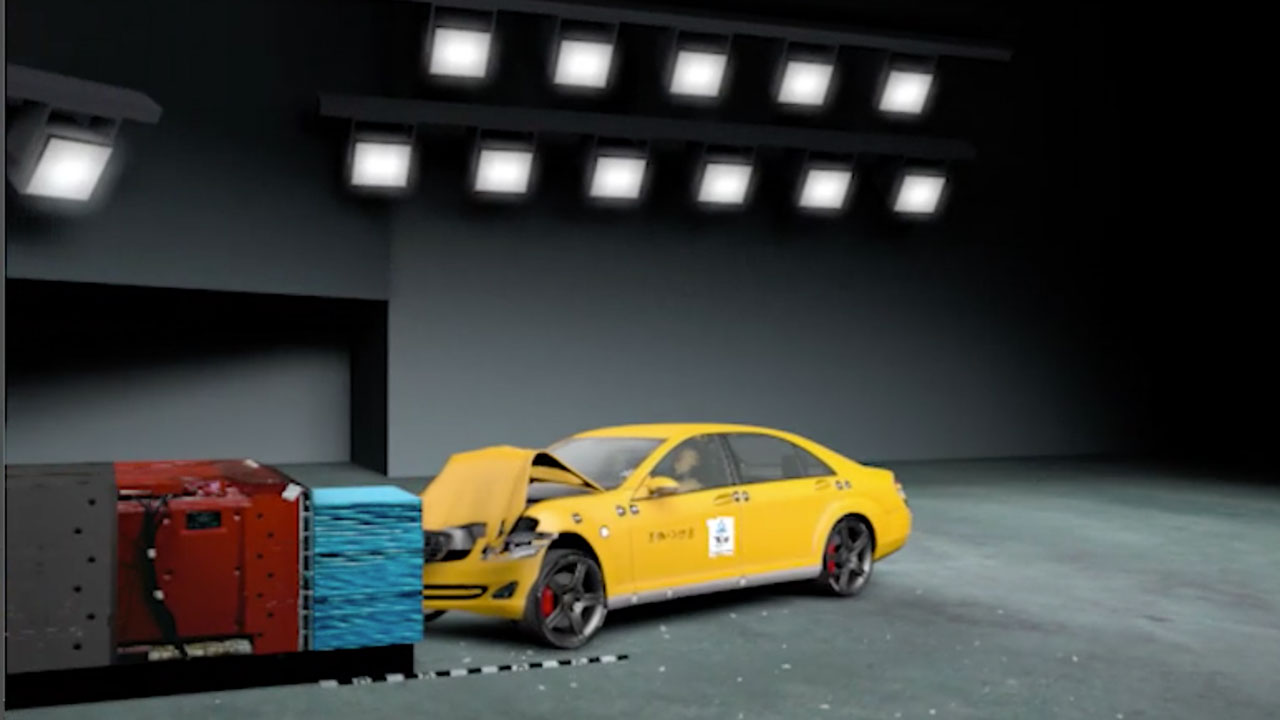
Creating a Car Crash Test Animation with DRIVE
In this 4 part tutorial, Klaus Heyne, of Heyne Multimedia, explains how to create a vehicle crash test using the DRIVE plug-in in C4D.
More...
Setting Up A Render Farm in Cinema 4D with Team Render
Who wants to render faster? Everyone!! With Team Render for Cinema 4D, you can set up a render farm quickly and easily. Tutorials from Maxon and Greyscalegorilla.
More...
Christmas Tuts & Freebies Roundup: Tinsel, Santa Hat, Ugly Sweater
Create fun Christmas themed projects in Cinema 4D and After Effects. Freebies from Pixel Lab, CG Shortcuts, CG Terminal, Ratemyfuneral, more!
More...
Maxon 3D & Motion Design Show - December 9, 2020
The next Maxon 3D & Motion Design Show is on December 9, 2020. Toolfarm is a partner on the show. Watch the show right on this page.
More...
Create Abstract Neon Cloud Art - Redshift + Cinema 4D
Learn to Create Abstract Neon Cloud Art with Maxon Cinema 4D and Redshift this slick new tutorial from Effectatron. Lots of great info!
More...
Subsurface Scattering on Abstract Scenes - U-RENDER
Angela from U-Render shows you how to create an Abstract Flower using Subsurface Scattering in Cinema 4D with U-RENDER.
More...
Maxon 3D & Motion Design Show - November 18, 2020
The schedule for Wednesday, November 18, 2020, is jam-packed with goodness, including EJ Hassenfratz, Athanasios Pozantzis, and Paul Babb.
More...
Isometric Room with Cinema 4D & Redshift: Tuts Under Twenty
Effect-A-Tron shows you how to create an Isometric Room with Cinema 4D and Redshift – from scratch to the final render.
More...
Cinema 4D to Unreal Engine 4 Workflow
In this tutorial from The Pixel Lab, Jonathan Winbush talks about his Cinema 4D to Unreal Engine 4 Workflow.
More...
Smoke Object with Cinema 4D & TurbulenceFD
Turn 3D objects into smoke with Cinema 4D and TurbulenceFD. Tutorial series by Roger Kilimanjaro. Plus, a great Cinema 4D MSA offer.
More...
Maxon 3D & Motion Design Show IBC 2020 Edition, Day 4
Maxon's 3D & Motion Design show IBC edition Sept 8-11, 2020. Artist-focused live shows feat. Cinema 4D, Red Giant, and Redshift.
More...
Bill & Ted 3 VFX-cellent tutorial
Hashi, The Action Movie Dad, "travels the circuits of time to show you how to create the visual effects of Bill & Ted Face the Music!"
More...
The Maxon 3D Motion and Design Show for August 12, 2020 - Live Now!
The Maxon 3D Motion and Design Show for August 12, 2020, is live now! If you missed the earlier presentations check back in a day or two for the archived.
More...
Elbow Crab Workflow: U-Render, ZBrush, Substance Designer, C4D
Get an in-depth look at working with 3D scanned objects, including retopologize, UV-layout, texturing, rigging, and animating. And, create an elbow crab.
More...
3D Motion Show - Siggraph 2020 - Day 3
Live now! The Maxon 3D Motion Show livestream. The Livestream includes presentations with leading motion graphics artists and their Cinema 4D workflows.
More...3D Motion Show - Siggraph 2020 - Day 2
Live now! The Maxon 3D Motion Show livestream. The Livestream includes presentations with leading motion graphics artists and their Cinema 4D workflows.
More...3D Motion Show - Siggraph 2020 - Day 1
Live now! The Maxon 3D Motion Show livestream. The Livestream includes presentations with leading motion graphics artists and their Cinema 4D workflows.
More...
Live Now: Mograph Podcast 242 with Jonathan Winbush
Dave Koss and Matt Milstead of Mograph.com interview Jonathan. They discuss Cinema 4D, After Effects, Octane, and more. Join with your questions.
More...
Independence Day VFX, But With Dinosaurs
Seth Worley shows you how to make an action scene like Independence Day, but with dinosaurs using AE, Red Giant plug-ins, and Cinema 4D.
More...
LIVE Q&A with Daniel Hashimoto (Action Movie Dad)
Watch now for a chat with Daniel Hashimoto, aka Action Movie Dad. He'll be talking with Puget Systems about his workflow, tips, tricks, the state of the industry and more!
More...
20 Cinema 4D Quick Tips For Beginners
Effect-A-Tron has 20 fantastic quick tips to help you get started with Cinema 4D. Get Cinema 4D S22 at 30% off. MSA Holders save 40%! Ends June 26, 2020.
More...
Cinema 4D: Generate Realistic Random Tiles with Blemish Pro
Joren from the Pixel Lab and Alessandro Boncio from Renderking have a collaboration tutorial on how to use Blemish Pro in Cinema 4D to generate realistic random tiles.
More...
In The Biz w/ Jonathan Winbush (Motion Designer & 3D Artist)
Ben Eshagpoor of beMOTION.dESIGN interviewed Jonathan Winbush in episode 2 of his new streaming show, In the Biz. Watch the recast now!
More...
Fractured Ice Surface Tutorial - What's Kraken?
Hashi shows you how to create a Kraken coming through the ice on a frozen river. He talks about the new Red Giant VFX Lens Distortion Matcher plugin.
More...
Create Animated Routes in DEM Earth for Cinema 4D
Jonathan Winbush explains how to make accurate animated custom routes in DEM Earth and Cinema 4D. This technique has many uses for animated maps.
More...
Make Balloon Type With Cinema 4D and Light Kit Pro
Chris Schmidt of Greyscalegorilla shows you how to make fun Balloon Type with Cinema 4D and Greyscalegorilla Light Kit Pro.
More...
7 Easy Ways to Change a Textures Color by Tweaking Bitmap Materials+Sale Info
Chad Ashley from Greyscalegorilla shows you 7 different ways that you can adjust bitmap materials to make easy changes to a materials color.
More...
Sugar Stacks: Working with the Granular Solver in RealFlow Cinema 4D
Simulation Theory's Sugar Stacks tutorials explain how to use the Granular Solver in RealFlow, along with Cinema 4D and Redshift.
More...
Sasha Vinogradova - Maxon NAB 2020 Rewind
In her Maxon NAB 2020 Rewind, Sasha Vinogradova talks about her workflow on a project using Maxon Cinema 4D, including sculpting with ZBrush.
More...
UV Unwrapping in Cinema 4D S22 with EJ Hassenfratz
EJ Hassenfratz walks you through the whole process of UV unwrapping in Cinema 4D S22 in this video from the School of Motion.
More...
Andy Needham - Maxon NAB 2020 Rewind
Andy Needham talks about Embracing Code in Maxon Cinema 4D S22 in his Maxon NAB 2020 Rewind. Learn all about Python programming in Cinema 4D.
More...
Jonathan Winbush | Maxon NAB 2020 Rewind
Jonathan Winbush shows how he makes a futuristic neon city roller coaster scene using Mograph cloners, finishing in Unreal Engine.
More...
Veronica Falconieri Hays | Maxon NAB 2020 Rewind
Veronica Falconieri Hays is a Certified Medical Illustrator. She shows you how to create a nanoscale cellular landscape in Maxon Cinema 4D S22.
More...
Andy Blondin | Maxon NAB 2020 Rewind
Andy Blondin is an award-winning artist and senior product designer for Epic Games. He talks about blurring the lines between games, television, and film.
More...
Bryan Coleman | Maxon NAB 2020 Rewind
Bryan Coleman in his Maxon NAB 2020 Rewind, shows Redshift Lighting, rendering, and displacement maps in Cinema 4D, creating bump maps, and more.
More...
Daniel 'Hashi' Hashimoto | Maxon NAB 2020 Rewind
Daniel "Hashi" Hashimoto creates a quick and easy CGI character in his Maxon NAB 2020 Rewind. He composites a giant monster onto the Las Vegas Strip!
More...
Angie Feret | Maxon NAB 2020 Rewind
Angie Feret shows her workflow for FUI for Villains in her Maxon NAB 2020 Rewind. Learn how she made touchpads and uses face capture with Moves by Maxon.
More...
Andrew Kramer | Maxon NAB 2020 Rewind
Andrew Kramer, in his Maxon NAB 2020 Rewind, shows you how to create modular dynamic elements inside of Cinema 4D, with compositing in After Effects.
More...
What's new in Maxon Cinema 4D's S22 Surprise Release?
Maxon released a new subscription-only version of Cinema 4D, adding new UV tools, Viewport, modeling updates, and more. Listen to the GSG podcast now!
More...
Light and Render an Interior Scene with V-Ray for Cinema 4D
Learn to light an interior scene with these lighting and rendering techniques. Create rich and realistic renders using V-Ray for Cinema 4D.
More...
ACES Color for Cinema 4D Artists - Color Grading
Chad Ashley of Greyscalegorilla has put together a vast resource about ACES color system, color space, and why this is important to Cinema 4D artists.
More...
Redshift Basic Procedural Techniques
LFO Design has an intermediate level tutorial about Redshift Basic Procedural Techniques for creating shaders. Download the model to play along.
More...
Best of 2019: The Top 10 Tutorials at Toolfarm.com
According to our website stats, these were the Top 10 Tutorials of 2019. It's interesting that most are technical, not about VFX.
More...
Save time with the Use the Redshift Color User Data Node in Cinema 4D
In this quick tutorial from Joren Kandel, learn how to use the Redshift Color User Data Node. It'll save you time and make your workflow smoother.
More...
Nescafe Commercial Tutorial | RealFlow, Octane Render and Cinema 4D
In this tutorial, Arthur Whitehead takes you through the creation of a 3D liquid motion graphics product commercial, using RealFlow, Octane Render and Cinema 4D.
More...
Dynamic Christmas Tree in Cinema 4D
This Dynamic Christmas Tree tutorial comes from Dave from CG Shortcuts. Learn how to create an animated Christmas Tree in Cinema 4D! We'll be using dynamics in C4D to build a Christmas tree out of Christmas baubles.
More...
Cinema 4D: R21 Caps and Bevels Overview
In this tutorial, EJ Hassenfratz from eyedesyn explains how the caps and bevels update in R21 can change the way you work with not only 3D type, but other generator objects like Sweeps and Extrude objects.
More...
Cinema 4D: Best New Features Inside Cinema 4D R21
In this tutorial Andy Needham walks Nick from Greyscalegorilla through all the new features in Cinema 4D R21, including the new user interface, Field Force, caps and bevels, and more.
More...
In Depth: What in the Heck is Bokeh?
Bokeh is a type of defocus or lens blur where the blur takes on the shape of the lens diaphram. We explain how to pronounce the word, how it is created, and show lots of cool examples. Also, a few plug-ins to create a bokeh in post-production.
More...
Oreo Commercial in RealFlow, Cinema 4D, Octane Render, Premiere Pro & After Effects
Arthur Whitehead explains his workflow for making Oreo cookie that splashes into some milk and caramel or liquid chocolate, made in RealFlow.
More...
Cinema 4D Industrial Tutorial Roundup #TutorialTuesday
Cinema 4D Industrial Tutorial Roundup with tutorials on modeling, rigging, and texturing for things like car parts, tool parts, machine parts, and more.
More...
Maxon Cinema 4D NAB 2019 Live Stream Videos
If you missed the Maxon Cinema 4D NAB 2019 live stream last week or you were at the show, watch it all now! There is loads of inspiring work and lots of great tips on improving your workflow.
More...

Redshift: Essential Nodes in Redshift for Cinema4D
This is a comprehensive, in-depth tutorial on essential nodes within Redshift for Cinema 4D to create any type of complex shader network.
More...
Cinema 4D/Octane: Abstract Spheres, Lighting and Texturing Tutorial Parts 1 & 2
In this tutorial series, Dave Bergin from CG Shortcuts, goes over the process of creating abstract spheres in Cinema 4D, and the lighting and texturing of those spheres with Octane. It also includes free project files.
More...
C4D Spotlight: OpenVDB Volume Modeling in Cinema 4D R20, with Tutorial Roundup
Volume modeling is based on the Open VDB Library was developed and maintained DreamWorks.Learn about its ease of use and power in Maxon Cinema 4D R20!
More...
C4D Spotlight: Cinema 4D R20 ProRender
The AMD Radeon ProRender update for Cinema 4D R20 is fantastic for Physically based rendering. It has new features such as multi-pass rendering, Subsurface Scattering (SSS), and motion blur.
More...C4D Live SIGGRAPH 2018 Rewind - Round 7
This is the seventh and final round of videos from SIGGRAPH 2018, held in August in Vancouver, Canada. Watch the fantastic presentations from David Koss and Matt Milstead, David Brodeur, Al Heck and Jon Weinberger, and Aaron Sorenson, all presenting with Cinema 4D Release 20.
More...
Cinema 4D and U-Render
This continues our series on Cinema 4D and third-party renderers. U-Render is no longer in beta and is available at Toolfarm
More...Tutorial: Cinema 4D and U-Render
We are continuing our series on Cinema 4D and third-party renderers and U-Render is our focus for today. U-render is no longer in beta and is available at Toolfarm.
More...
Cinema 4D and Redshift
Today we’re doing a gathering of tutorials about third-party renderers for Cinema 4D. First up, Redshift!
More...Cinema 4D and Octane Render
Today we’re doing a gathering of tutorials about third-party renderers for Cinema 4D. Enjoy some tutorials about Cinema 4D and Octane Render.
More...
Cinema 4D and Corona Renderer
If you’re using Corona Renderer with Cinema 4D or thinking about it, here some tutorials to get you started.
More...
Cinema 4D and Arnold
Get started with Arnold and Cinema 4D. We're featuring a few useful and fun tutorials for new users and more seasoned users alike.
More...Maxon Cinema 4D and Arnold Render Tutorials for Shaders
A couple of weeks ago we did some features on Cinema 4D and third-party renderers that work with Cinema 4D. Today, Arnold.
More...
How to Create 3D Product Packaging in Cinema 4D With FoldMyDesign
Find out how to use Cinema 4D’s FoldMyDesign helper object to easily create 3D product packaging animations using your 2D nets.
More...
Create Mountains using World Machine & Redshift for Cinema 4D
Create mountains using Redshift, Cinema 4D, and World Machine, a free windows app that lets you create 3D terrain.World Machine is a free windows app that lets you create 3D terrain for your favorite 3D app, Unity, and Unreal Engine.
More...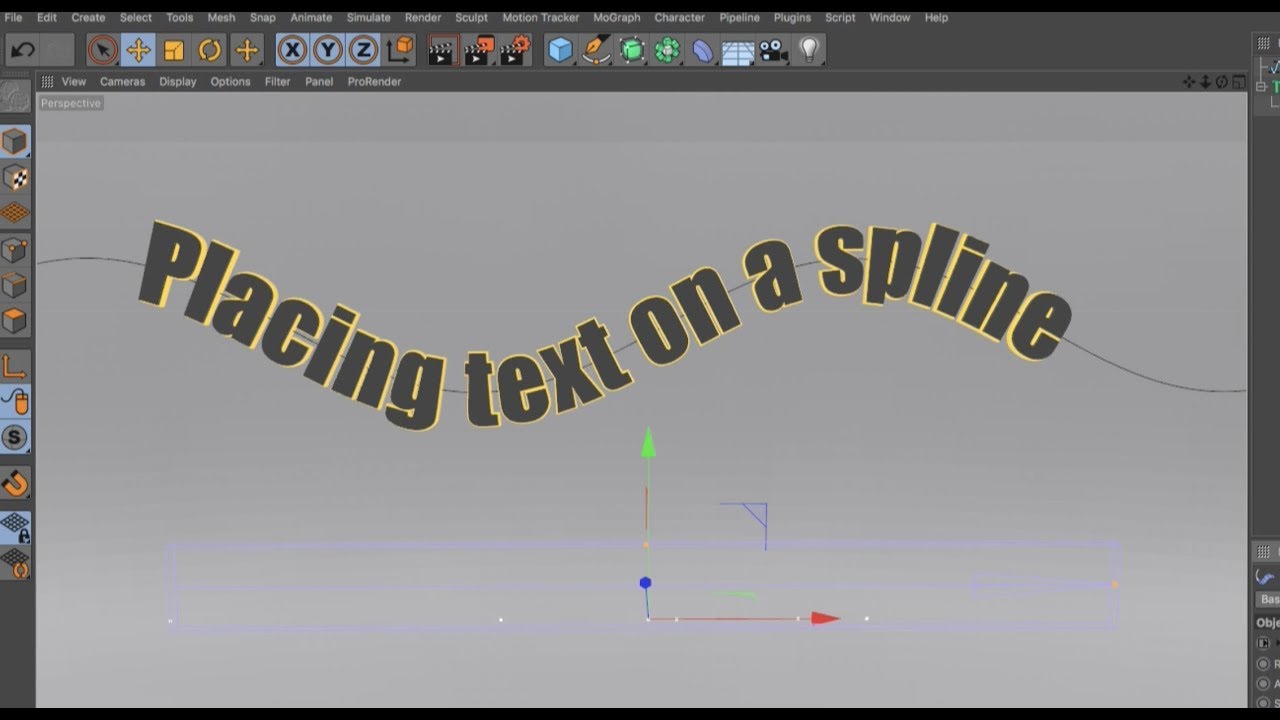
Placing Text on a Spline in Cinema 4D
In this Cinema 4D Quick Tip with Jonas Pilz, learn 2 methods of putting your text on a spine in Cinema 4D.
More...
Shoelace Displacement in Cinema 4D
Sean Dove explains how he used custom displacement maps to create realistic shoelaces in Cinema 4D and Photoshop.
More...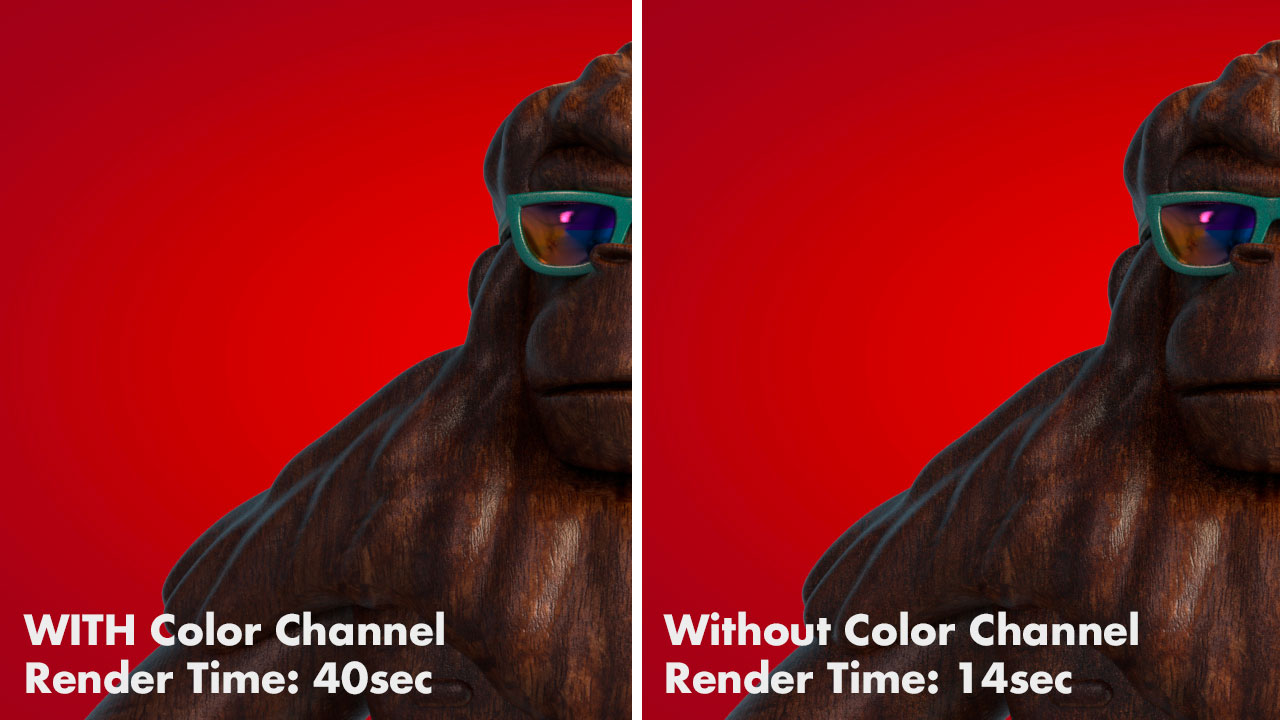
Speed Up The Cinema 4D Physical Render…. Here’s How!
Cut your Physical Render time in half with this time-saving Cinema 4D tutorial. Optimize the Physical Renderer for speed with Reflectance. Nick Campbell from Greyscalegorilla gives you the details.
More...
Cinema 4D Octane Tutorial: Dramatic Lighting Tip
Joren at The Pixel Lab has a C4D quick tip for creating dramatic, moody lighting using the Octane for C4D Daylight Tag, plus what to do when your HDRI doesn’t show up when using the tag.
More...
Medical Animations & Tutorials Roundup for Maya, Cinema 4D, After Effects
The human body is still such an enigma and there are so many technical, yet beautiful, 2D and 3D animations that help to visualize those microscopic mysteries. We had a question about some methods of creating cells and other microscopic elements. First, we have some gorgeous examples to inspire you, followed by a few tutorials for various host applications.
More...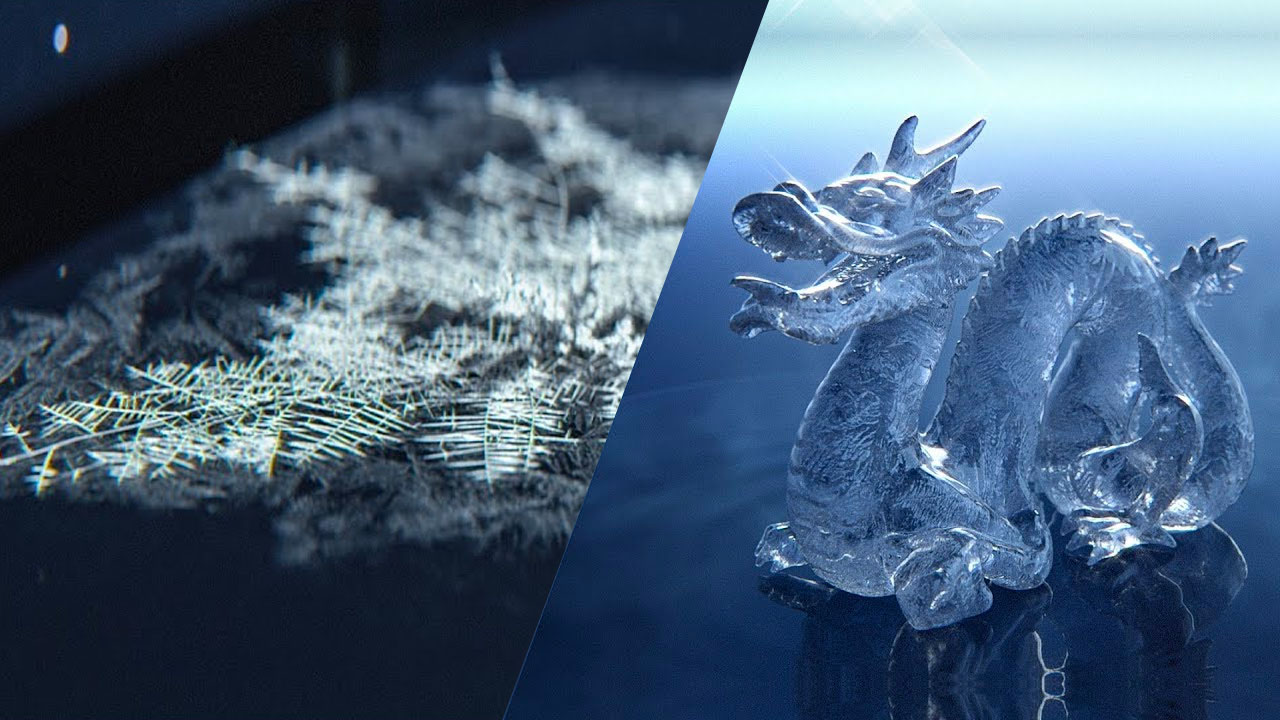
Procedural Growing Frost Cinema 4D & X-Particles + Creating a Realistic Ice Material in Arnold 5
Daniel Danielsson is a Freelance Director / Motion Designer who is based in Hertfordshire, which is north of London, England. I'm not sure how much snow and ice they get there, but Daniel has some fantastic Cinema 4D tutorials on creating frost and ice.
More...
C4D Spotlight: Align to Spline Tag
Today we’re going to look at the Align to Spline Tag and how to animate objects along a spline in Cinema 4D.
More...
Mograph Module’s Shader Effector in Cinema 4D
EJ Hassenfratz from eyedesyn explains how to use the Shader Effector to make HUD elements. He also explains the difference between the Shader and Random Effectors, the benefits of using the Shader Effector and much more.
More...
Rendering in CINEMA 4D - Which to Choose
With all the different renderers out there, it’s sometimes difficult to determine which is the best for you and your needs. Chad Ashley from Greyscalegorilla has a breakdown of the pro’s and cons of some of the renders GSG recommends. Read an excerpt here and follow the link to the full article.
More...
Brain Cells
Motionsquared has a breat tutorial on creating brain cells in Cinema 4D. I used this tutorial in a project last year. Super useful tutorial. Scroll to the end of the page for the tutorials.
More...
VoronoiGenerator for Cinema 4D
Developed by Dominik Ruckli, the VoronoiGenerator is a Cinema 4D python plugin that generates a 2D Voronoi Diagram.
More...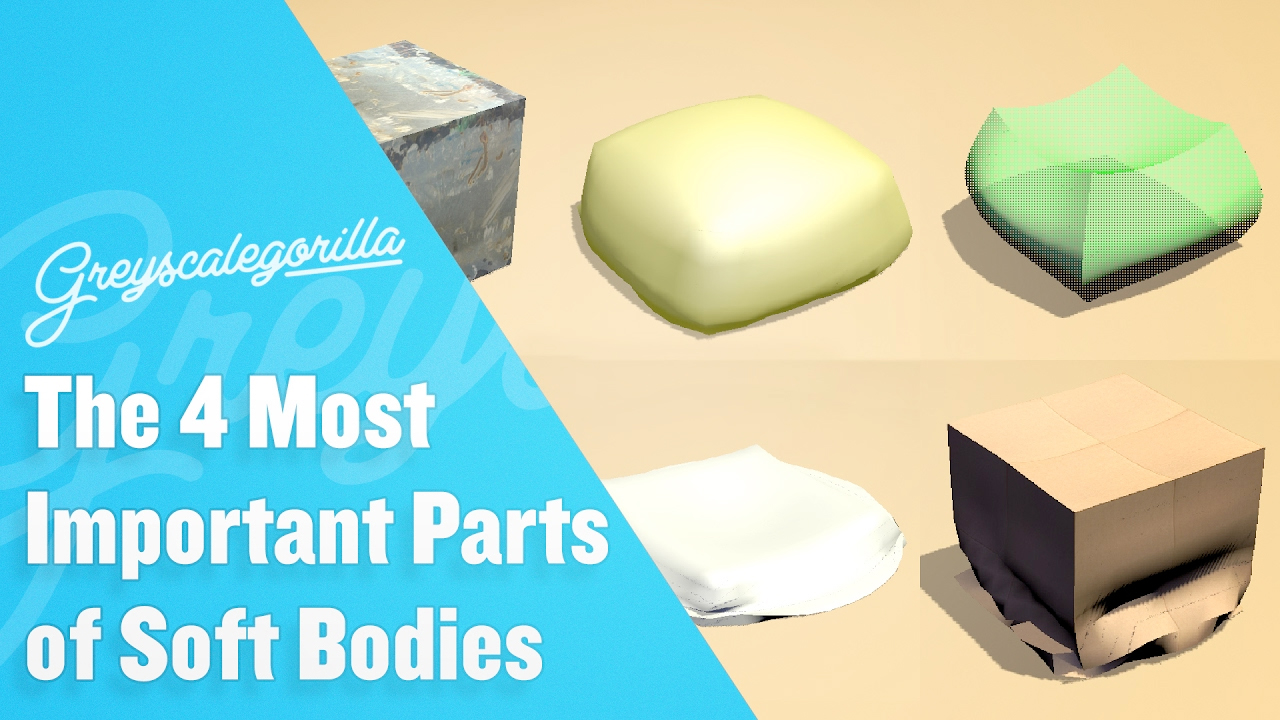
Cinema 4D: The 4 Most Important Parts for Soft Bodies
Chris Schmidt from Greyscalegorilla teaches you the most important settings for soft body dynamics in Cinema 4D, so you can quickly and intuitively create whatever consistency you want on your objects.
More...
3 Tutorials on the Pose Morph Tag in Cinema 4D
The Pose Morph Tag is a fun and easy way to animate between poses. Here are three tutorials on the Pose Morph Tag, plus three that we’ve previously shared.
More...
Character Animation in Cinema 4D
This is a webinar with Jonas Pilz where he explains how to animate a shark. The shark model can be found on Turbo Squid.
More...How to Rig a Character in Cinema 4D
EJ shows you how to create a walk cycle for this super cute lemon character in Cinema 4D, with an introduction to Spline IK.
More...Cartoon Heart Character Modeling, Rigging, and Texturing
EJ Hassenfranz of Eyedesyn explains how he modeled, rigged, and textured a cute little candy heart in Cinema 4D. EJ has made a lot of tutorials about character animation, so you'll see a lot of his stuff here today. So, thank you to EJ for being a great teacher and for being so willing to share his knowledge!
More...
Modeling, Texturing & Rendering a Gingerbread Man in Cinema 4D
Aleksey Voznesenski shows you how to model a gingerbread man in Cinema 4D in this 2 part tutorial from Tuts+.
More...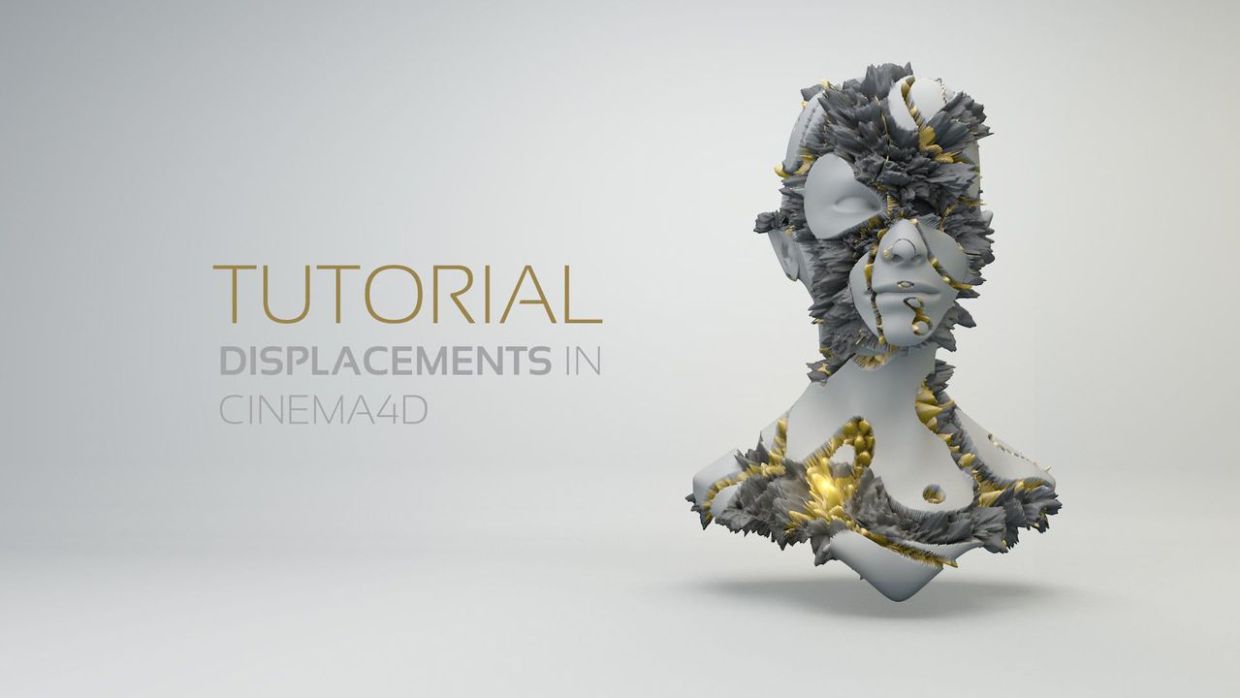
Tutorial: 2 Tutorials about Displacement Maps in Cinema 4D
Here are two tutorials about generating and working with displacement maps in Maxon Cinema 4D.
More...
C4D Workflow Quick Tips from The Pixel Lab
The Pixel Lab has some more great tips for Maxon Cinema 4D! Joren shares a couple of his favorite workflow efficiency tips.
More...
Tutorial: Halloween Themed Tutorial Round Up
Demons are rising, ghosts are haunting and blood is flowing with these Halloween themed tutorials that we have collected to help take the horror out of making frightening creations. Updated: October 25, 2016.
More...
Michele Learns Cinema 4D: Episode 6: Toolfarm’s NAB Survival Video Open
If you’ve had a chance to check out our NAB Survival Video, you should! It’s lots of fun. I dove back into Cinema 4D to create the open animation. Here’s how I did it.
More...
Michele Learns Cinema 4D: Episode 7: Making a Brain
Michele shows you how she created a brain in Cinema 4D, starting with a sphere object, then uses the sculpting tools to modify the shape add brain texture.
More...
CINEMA 4D R18 Compatibility Information - 3rd Party Products
Wondering if your plug-ins, renderer, or other add-ons are compatible with R18? We will keep this page updated with new information as we receive it.
More...
In Depth: MAXON Cinema 4D Release 18 New Features Roundup
With the upcoming September release of MAXON C4D R18, we wanted to know more about all the new features and figured you did too. From Voronoi fracture & mograph enhancements, to new shaders and tools, C4D R18 had tons of new additions to unlock your 3D creativity.
More...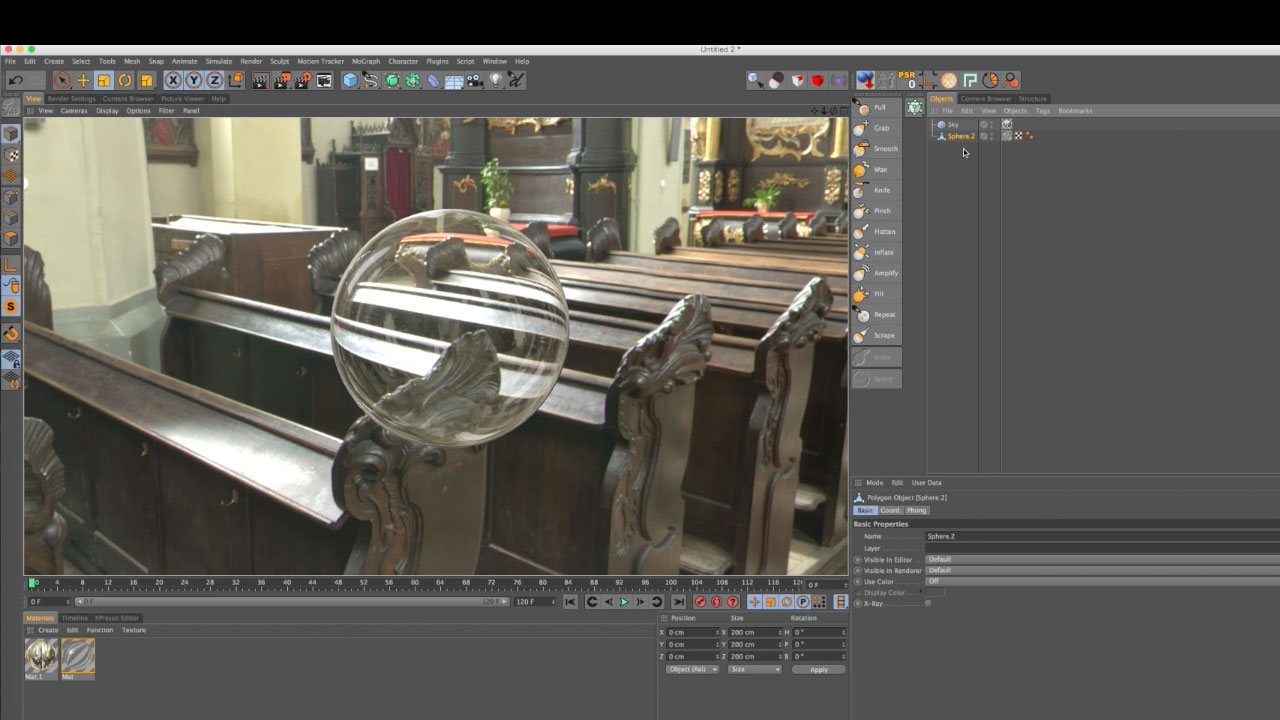
Model a Glass Pitcher in Cinema 4D
Pete Maric, triplet3d.com shows how to model a pitcher with spline and lathe NURBS, editing the points to create the top lip. He uses the Explosion FX deformer to add thickness to the walls of the pitcher then explains how to model the handle of the pitcher using sweep NURBS and scale curves. This is tutorial #3 on the page, so scroll down to watch.
More...Using Transparency and Refraction Channels to Create Glass
Lynda.com has a free episode of their Creating Materials in CINEMA 4D course. This is tutorial #2 on the page, so scroll down!
More...Creating a Thin Glass Material with Proper Refraction in CINEMA 4D
If you apply a glass material to an enclosed object, you will see a lot of refraction, making the object look like it’s a solid mass of glass, like a bowling ball or paper weight. Noah Witchell shows you how to create the look of thin, delicate glass, the type you might see on a light bulb or nice wine glass.
More...
Burning Question: What can I do with the Hair Renderer in Cinema 4D?
The Hair Module.... can it do more than just make hair? Oh, there are lots of things! Make a tree, grass, and much more! Lots of fun stuff!
More...
C4D: Depth Pass Tips
Chad Ashley from Greyscalegorilla explains “the correct workflow for doing Depth of Field and Motion Blur in After Effects…(that doesn’t) result in artifacts or other anomalies.”
More...
Michele Learns Cinema 4D Ep. 6: Toolfarm’s NAB Survival Video Open
If you’ve had a chance to check out our NAB Survival Video, you should! It’s lots of fun. I dove back into Cinema 4D to create the NAB Survival Video Open.
More...
Rigging a Simple Cartoon Character in C4D
“In this tutorial, I’m going to introduce you into the world of rigging in Cinema 4D by showing you a workflow I use to easily create a simple cartoonish arm & leg IK rig.” - EJ Hassenfratz
More...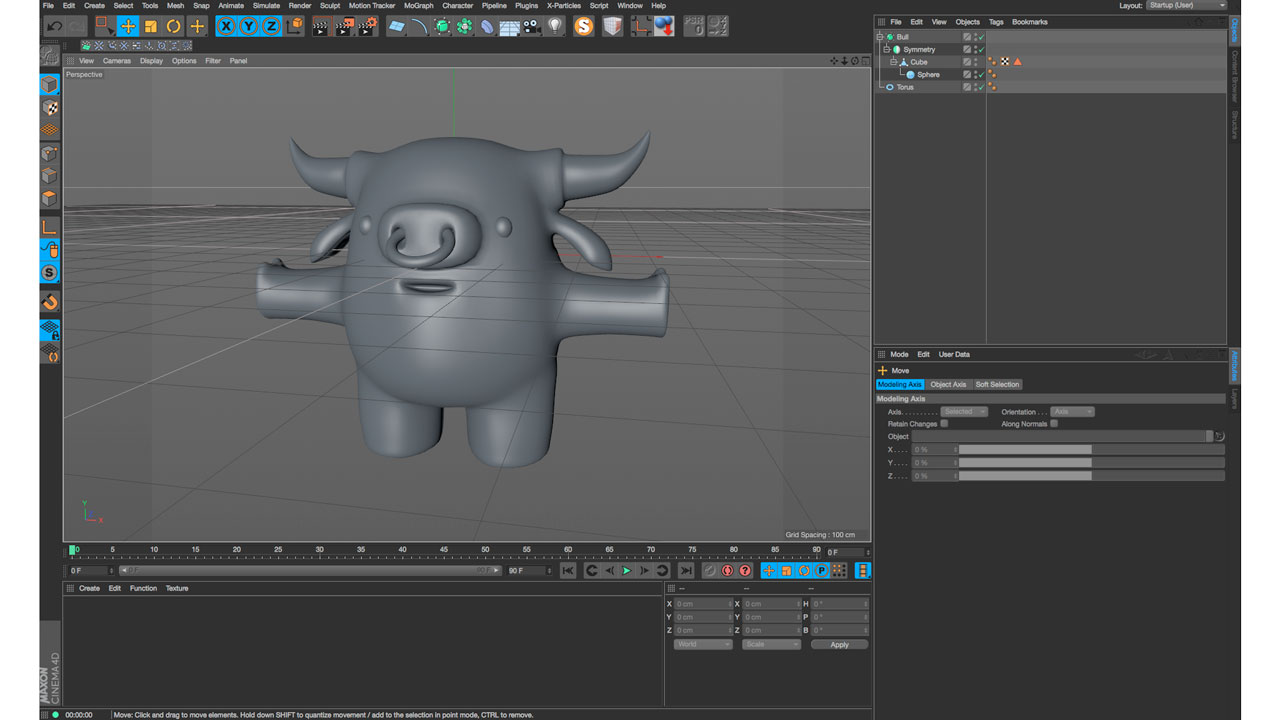
Eyedesyn Live Design: Modeling a Character in C4D parts 1 and 2
EJ Hassenfranz from Eyedesyn live streamed these tutorials, giving us a closer look into his thought process and workflow while modeling a little bull character in Cinema 4D.
More...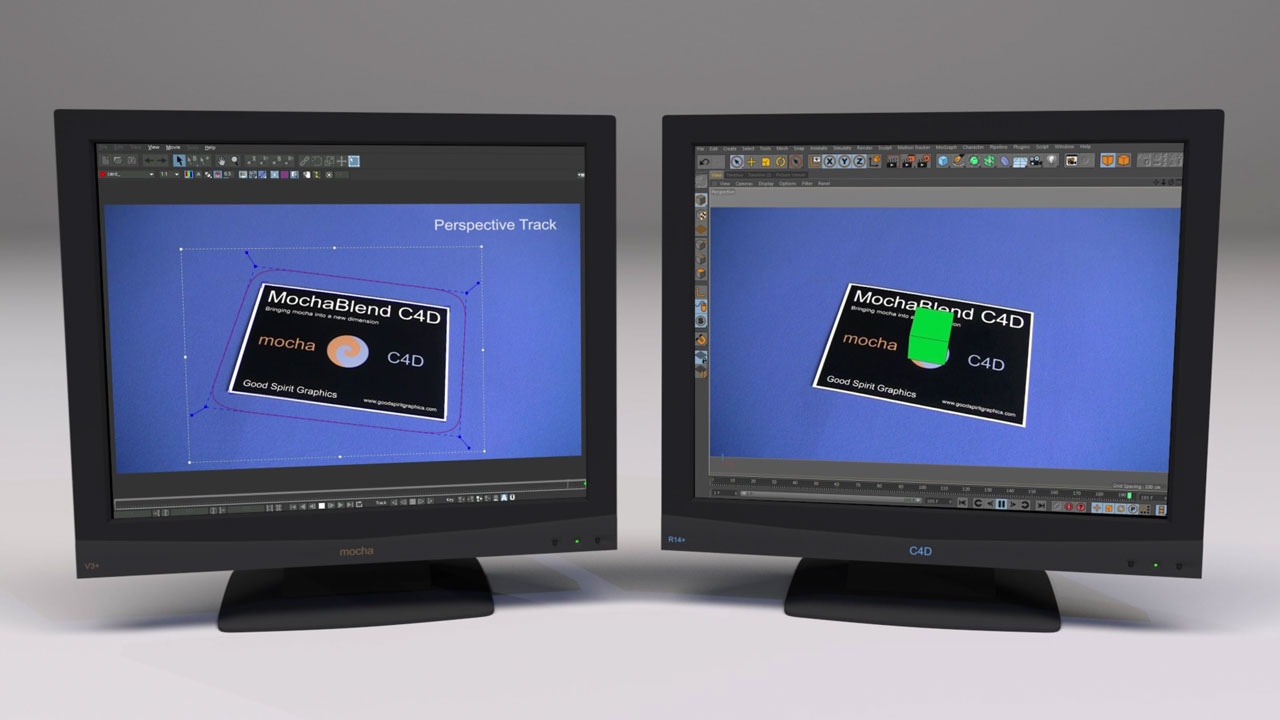
MochaBlend C4D Basics #4: Creating a camera solve from a mocha perspective track
In this tutorial, you’ll learn how to use MochaBlend C4D to turn a perspective track in mocha into an object solve in C4D. You’ll learn the best way to track a plane in mocha for MochaBlend’s Perspective-Solver, and how to identify some common problems when working with the solver.
More...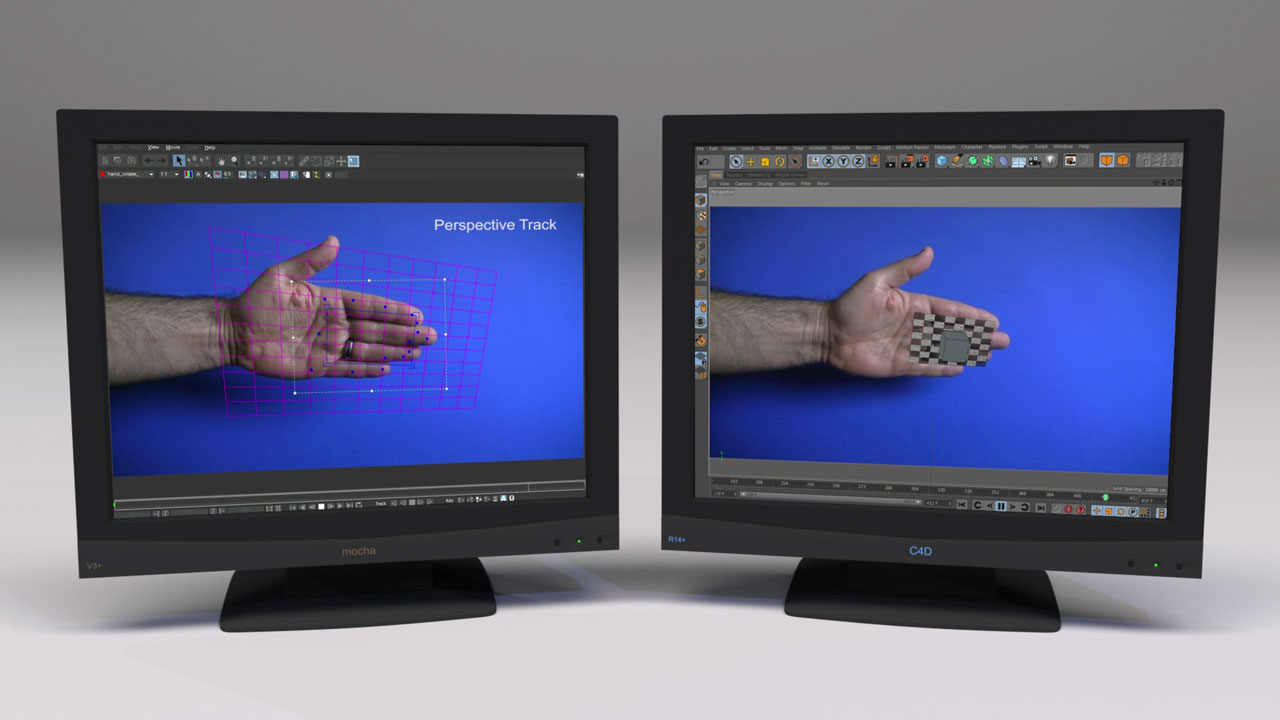
MochaBlend C4D Basics #3: Creating an object solve from a mocha perspective track
In this tutorial, you’ll learn how to use MochaBlend C4D to turn a perspective track in mocha into an object solve in C4D. You’ll learn the best way to track a plane in mocha for MochaBlend’s Perspective-Solver, and how to identify some common problems when working with the solver.
More...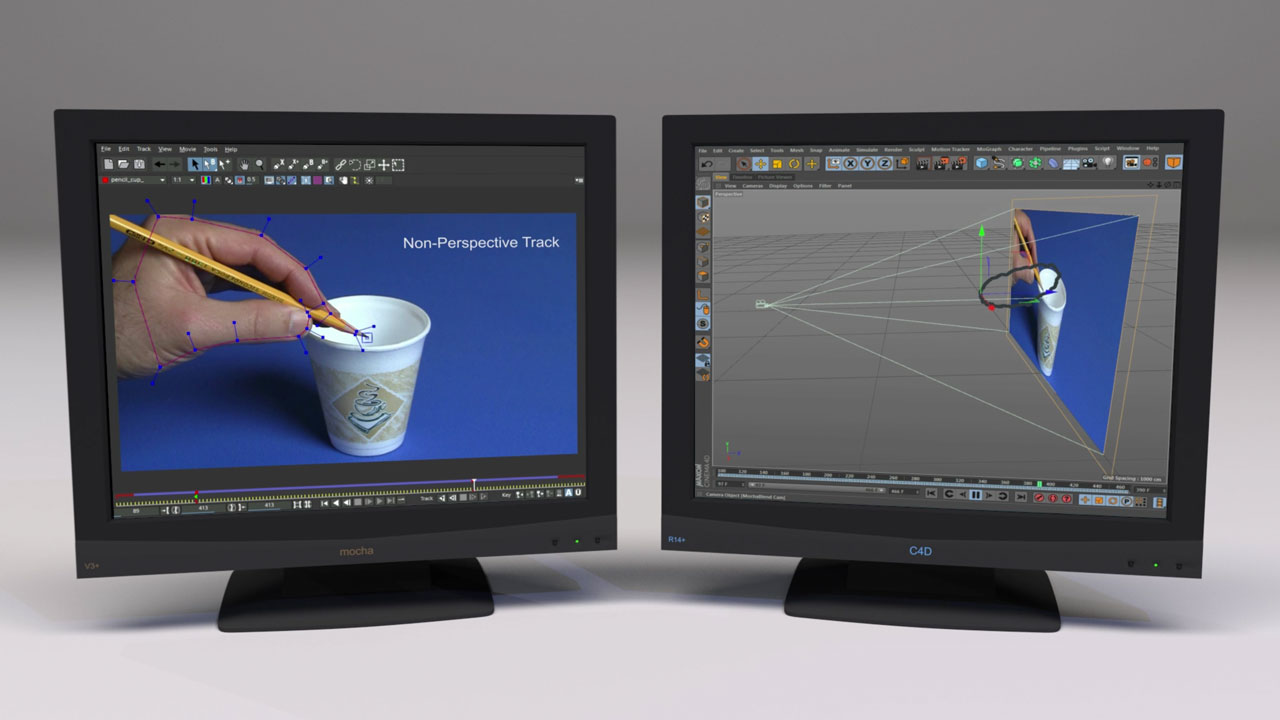
MochaBlend C4D Basics #2: Creating 3D motion from a non-perspective mocha track
In this tutorial, you’ll learn about creating 3D motion from a non-perspective track in mocha. We’ll be using MochaBlend C4D’s 2.5D solver to create the 3D motion. You’ll learn how to analyze the motion in your shot so you can both track it properly in mocha, and choose the correct solver in MochaBlend C4D.
More...
Creating Cel Animation Style Paint Strokes in Cinema 4D
Learn how to recreate the popular cel animation style paint stroke/splash effect you see in a lot of 2D animations using Cinema 4D without third party plug-ins.
More...
Achieve 2D Cel Shading in C4D Without Sketch & Toon
Our friend EJ Hassenfratz from Eyedesyn shows us how to achieve 2D cel shading, using only the native tools found in Cinema 4D.
More...
Inflated Text in Cinema 4D
Learn how to create a cool inflated text effects using the pressure parameter in C4D in this 2 part tutorial from Helloluxx. And don’t miss MAXON’s Santa Sidegrade Sale!
More...Michele Learns Cinema 4D: Episode 5: Sand Dunes
Learn Cinema 4D along with Michele! In the latest episode of Michele Learns CINEMA 4D, Michele Yamazaki of Toolfarm talks about the CV-ArtSmart plug-in from Cineversity, and then goes into a full tutorial about creating sand dunes like you might see along Lake Michigan, complete with dune grass made with hair.
More...
Cinema 4D Release 17 Quick Tips
MAXON Cineversity offers an entire series on quick tips for the newest release of C4D.
More...
How do I get started making my own videos?
Question: I am very inspired by Andrew McMurry’s work in the Visual Effects/ Media Arts. I’d like to start making my own videos and bringing them to life. I was told by a Visual Effects distributor to ask you some questions on some recommended software, or apps that could point me in the right direction.
More...
News: MAXON NAB 2015 Rewind: New MoGraph Breakdown Presentations
Watch presentations recorded live from the MAXON Cinema 4D booth at NAB 2015 in Las Vegas, NV. We will be adding more to this page as they become available, so bookmark it and check back often. Updated May 14, 2015.
More...
Create Houndstooth Material in Cinema 4D
This tutorial from Muse Creative and Eugene Opperman shows you how to create a procedural Houndstooth material using the Layer Shader in MAXON Cinema 4D
More...
GI Area Light Script and Tutorial for Reflectance Channel for MAXON CINEMA 4D R16
Nick from Greyscalegorilla has a useful script to help you properly light a scene with the Reflectance Channel and his GI Area Light Script.
More...The Next Limit Realflow to MAXON CINEMA 4D Pipeline
RealFlow Expert Thomas Schlick give us a detailed description on how to use RealFlow with CINEMA 4D. You will learn:The difference between the connectivity plugins and the RFRKBasic import features & file formats of the connectivity pluginsHow to export point level animationThe new RealFlow MeltMaterialConnecting RealFlow particles wtih PyroClusterThe Basic RFRK workflowMeshing in Cinema 4DWork with vertex mapsImporting particle dataAnd more!
More...Using the Spline Shader to Create Text as a Material in CINEMA 4D
EJ Hassenfranz explains how to skip Photoshop and use the Spline Shader and text (or any spline shape!) as a 2D resolution independent material. He goes deeper, explaining how to use a bump or displacement channels of a material for embossed or stamped metal looks.
More...
Cinema 4D Cloth Unroll Effect
Post at Motion Squared: "In this short tutorial, we take a look at how to create a cloth unroll effect /animation using the cloth dynamics tag in Cinema 4D. Enjoy!"
More...
Creating a Disco Party Animation with C4D and After Effects
"In this tutorial you’ll be creating a full motion graphics 3D animation for a disco party. You’ll start by creating some basic models and deforming them. We’ll dig quite deeply in shading to achieve some detailed and organic textures. Finally, we’ll animate all the elements in an attractive way and create a rotating camera to follow the whole scene. We’ll finish up in After Effects where we’ll add some sexiness to the animation." - Daniel Lorenzo of cgtuts+
More...Natural Lighting in CINEMA 4D by Rob Redman
An overview of lighting techniques in scenes where exterior natural lighting illuminates interior objects- how to get realistic results.
More...
Displacement and Deformation Techniques in Cinema 4D
In today’s tutorial, new Cgtuts+ author Mario Brajdic will introduce you to working with displacement and deformers in Cinema 4D and show you how this powerful combination can be used in conjunction with custom materials, lighting, and post effects to create some truly unique and visually stunning results.
More...
Create a Valentine’s Day Themed Animation in Cinema 4D & After Effects
Post by Stefan Surmabojov at CGtuts+ : “In this tutorial we are going to create a Valentine’s Day themed animation in Cinema 4D and After Effects.... Use particles and forces in Cinema 4D, as well as MoDynamics and Effectors to put everything together to create our final animation. Finally we’ll add materials, light and render the scene before finishing it up in After Effects with some compositing and post effects."
More...
Cinema 4D Scene OBJ Export to Trapcode Form
Posted by Peder Norrby. Tutorial showing how to create a scene in Cinema 4D and export an OBJ and Cinema’s camera. And import all this in Adobe After Effects so the Cinema render perfectly matches Trapcode Form.
More...Tutorial: Tentacles in Maxon Cinema 4D (with Hair)
Equiloud explains how to create organic tentacles in c4d with hair. (Update from Equiloud: you don´t have to trick the transparency, just deselect "Render Hairs" in the Generate Tab.)
More...
'%3e%3cg id='Final-Copy-2_2_' transform='translate(1275.000000, 200.000000)'%3e%3cpath class='st0' d='M7.4,12.8h6.8l3.1-11.6H7.4C4.2,1.2,1.6,3.8,1.6,7S4.2,12.8,7.4,12.8z'/%3e%3c/g%3e%3c/g%3e%3c/g%3e%3cg id='final---dec.11-2020'%3e%3cg id='_x30_208-our-toggle' transform='translate(-1275.000000, -200.000000)'%3e%3cg id='Final-Copy-2' transform='translate(1275.000000, 200.000000)'%3e%3cpath class='st1' d='M22.6,0H7.4c-3.9,0-7,3.1-7,7s3.1,7,7,7h15.2c3.9,0,7-3.1,7-7S26.4,0,22.6,0z M1.6,7c0-3.2,2.6-5.8,5.8-5.8 h9.9l-3.1,11.6H7.4C4.2,12.8,1.6,10.2,1.6,7z'/%3e%3cpath id='x' class='st2' d='M24.6,4c0.2,0.2,0.2,0.6,0,0.8l0,0L22.5,7l2.2,2.2c0.2,0.2,0.2,0.6,0,0.8c-0.2,0.2-0.6,0.2-0.8,0 l0,0l-2.2-2.2L19.5,10c-0.2,0.2-0.6,0.2-0.8,0c-0.2-0.2-0.2-0.6,0-0.8l0,0L20.8,7l-2.2-2.2c-0.2-0.2-0.2-0.6,0-0.8 c0.2-0.2,0.6-0.2,0.8,0l0,0l2.2,2.2L23.8,4C24,3.8,24.4,3.8,24.6,4z'/%3e%3cpath id='y' class='st3' d='M12.7,4.1c0.2,0.2,0.3,0.6,0.1,0.8l0,0L8.6,9.8C8.5,9.9,8.4,10,8.3,10c-0.2,0.1-0.5,0.1-0.7-0.1l0,0 L5.4,7.7c-0.2-0.2-0.2-0.6,0-0.8c0.2-0.2,0.6-0.2,0.8,0l0,0L8,8.6l3.8-4.5C12,3.9,12.4,3.9,12.7,4.1z'/%3e%3c/g%3e%3c/g%3e%3c/g%3e%3c/g%3e%3c/svg%3e) Your Privacy Choices Notice at Collection
Your Privacy Choices Notice at Collection